What This Article Covers
|
It’s late, you’re hunting for a jacket, and the new ChatGPT virtual try-on shows you a few options with a little “Try on” button under each one. You tap it, take a selfie, and a few seconds later you’re looking at yourself in a jacket you haven’t bought yet.
Pretty neat. But somewhere between the tap and the preview, you handed an AI company a photo of your face, maybe your whole body. Where does that photo go afterward? Does it vanish when you close the app?
Not exactly. OpenAI added virtual try-on to ChatGPT on October 1, and the privacy details matter more than the feature itself. Here is what’s confirmed, what isn’t, and what you can change in about two minutes.
What ChatGPT’s virtual try-on actually does
The feature appears as a Try on button on product listings for clothes and accessories inside ChatGPT. You take or upload a selfie, and ChatGPT generates a preview of you wearing the item, according to OpenAI’s own release notes. Engadget reports it runs on ChatGPT Images 2.5, the image model OpenAI released in September.
You aren’t stuck with whatever ChatGPT recommends. Android Authority reports you can upload a link or a photo of an outfit you like, ask ChatGPT to find similar items, and try those on too. There’s also a Favorites option for saving products, and Technology.org says your try-on images are saved next to them in the ChatGPT Library.
It’s also not a fitting room. Per the same Android Authority report, the previews may not match your appearance or the product exactly, and they can’t tell you whether a size will fit. Think of it as a style preview. Don’t order a jacket one size too small because the picture looked good.
The part most people skip: your photo is saved
 Here is the line from OpenAI’s release notes that matters most: your reference photo is saved for future try-ons. That’s why you don’t need a new selfie every time. It’s convenient, and it also means a photo of you now sits in your account until you remove it.
OpenAI says you can change or delete it under Settings, then Personalization, then Reference photos. That’s the one control built for this feature, so find it now instead of after you’ve forgotten you uploaded anything.
The reference photo may not be the only image involved. The previews ChatGPT generates are reportedly saved too, in your Library next to your Favorites. OpenAI’s release note only describes deleting the reference photo and doesn’t say what happens to the previews, so check your Library and clear them out there if you want them gone.
Is ChatGPT training on your try-on photos?
This is where I’d slow down, because the answer isn’t as clean as a headline would like.
What’s confirmed. OpenAI has a setting called “Improve the model for everyone,” and when it’s on, your content can be used to train its models. We walked through how that works in our guide on whether ChatGPT is private. Engadget adds that, by default, images uploaded from a personal account can be used for training unless you opt out.
What isn’t confirmed. OpenAI’s release note for the try-on feature says nothing about training for these specific photos. So I can’t tell you try-on selfies are treated differently from any other image you upload, and I can’t tell you they’re treated the same. The cautious assumption is that the general setting is the one that matters, and that’s the one to check.
What this doesn’t mean. It doesn’t mean every photo you’ve ever uploaded is automatically feeding a model. It depends on your setting and your plan. OpenAI’s help pages say it doesn’t use content from ChatGPT Business, Enterprise, Edu or Healthcare workspaces for training by default.
How to delete your photo and turn training off
- Open ChatGPT, tap your profile icon, and go to Settings.
- Open Personalization, then Reference photos, and delete or replace the photo you used for try-on.
- Back in Settings, open Data Controls and turn off “Improve the model for everyone.”
- Check your Library for saved try-on images and remove any you don’t want kept.
OpenAI’s data controls FAQ says the training setting applies to your whole account, whatever device you use, and your chats still show up in your history either way. Menu names can shift between the web and the app, so if something looks different, search the Settings screen for “Data Controls.”
How Google’s try-on compares
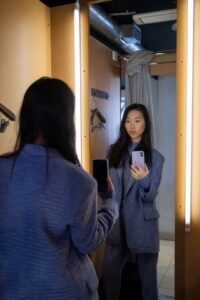 Google got there first. Engadget notes it added a similar feature to Search in 2025. The two tools work in a similar way, but the privacy language is not identical, based on each company’s own help pages.
| ChatGPT try-on | Google try-on | |
|---|---|---|
| Where it lives | A “Try on” button on clothing and accessory listings in ChatGPT shopping results | A “Try it on” button when you search Google for tops, bottoms or dresses |
| Is your photo saved? | Yes, as a reference photo for future try-ons (OpenAI release notes) | Yes, saved for convenience so you needn’t re-upload (Google help page) |
| How to delete it | Settings > Personalization > Reference photos | “Delete original photo” under the camera icon; generated looks are cleared from the “Recently tried” tray |
| Used for training? | Engadget says personal-account images can be used unless you opt out; OpenAI’s try-on note doesn’t address it | Google says the photo isn’t used for training and that it doesn’t collect or store biometric data |
| Fit accuracy | Not a guarantee of fit or size | Not a perfect fit representation, per Google’s merchant help page |
Treat those as each company’s own statements, not independent testing. Google’s help page also says it’s updating settings across Search services, so read its current wording before you rely on it. On paper, Google’s stated default is the more privacy-friendly one. If you’re weighing which assistant to trust with this kind of thing more broadly, our ChatGPT vs Gemini vs Claude vs Grok comparison covers the bigger picture.
A few things I’d still think twice about
- A full-body photo is more personal than a typed question. A chat prompt is words. A selfie or full-body shot is your face and body, stored with your account. Our look at how much your phone already collects shows how easily small permissions add up.
- Only upload photos of yourself. Google’s help page tells users to upload only their own photo or one they have permission to use. That’s a good rule for any of these tools.
- Check who you’re buying from. Android Authority points out that if you buy something ChatGPT recommended, it’s worth checking the seller first.
So, should you try it?
If you’re curious, there’s nothing wrong with trying it. Just go in knowing the photo is saved, and decide before you upload whether you’re fine with that. Use a reference photo you wouldn’t mind being stored, and delete it when you’re done shopping.
If you’d rather not think about it, flip the training setting off first. It takes under a minute and covers the whole account.
| Editor’s Observation
What stands out to me isn’t the feature, it’s the trade. Virtual try-on asks for something far more personal than a typed question, and the only detail OpenAI’s launch note spells out is how to delete the photo, not what the training default means for it. That gap is why I’d treat the Data Controls setting as part of using try-on, not an afterthought. This is my read of the launch materials, not a finding about how OpenAI handles these images. |
Frequently Asked Questions
Does ChatGPT save the selfie I use for virtual try-on?
Yes. OpenAI’s release notes say your reference photo is saved for future try-ons, and that you can change or delete it in Settings under Personalization, then Reference photos.
Is my try-on photo used to train ChatGPT?
It can be, depending on your setting. Engadget reports that images from personal accounts can be used for training unless you opt out, but OpenAI’s try-on note doesn’t address training for these photos specifically. To opt out, turn off “Improve the model for everyone” in Settings under Data Controls.
Can ChatGPT tell me if the clothes will fit?
No. Coverage of the launch says the previews may not match your appearance or the product exactly, and they don’t confirm fit or size. Check the retailer’s size chart before you buy.
Your turn: Would you upload a full-body photo to ChatGPT to try on clothes, or is that a line you won’t cross? Tell us in the comments.
Sources
- OpenAI, ChatGPT release notes (October 1, 2026)
- OpenAI Help, Data controls FAQ
- OpenAI Help, Memory in ChatGPT (workspace training defaults)
- Engadget, “ChatGPT can now help you virtually try on clothes”
- Android Authority, ChatGPT virtual try-on
- Technology.org, ChatGPT adds virtual try-on
- Google Shopping Help, How the Google Try-On tool works