
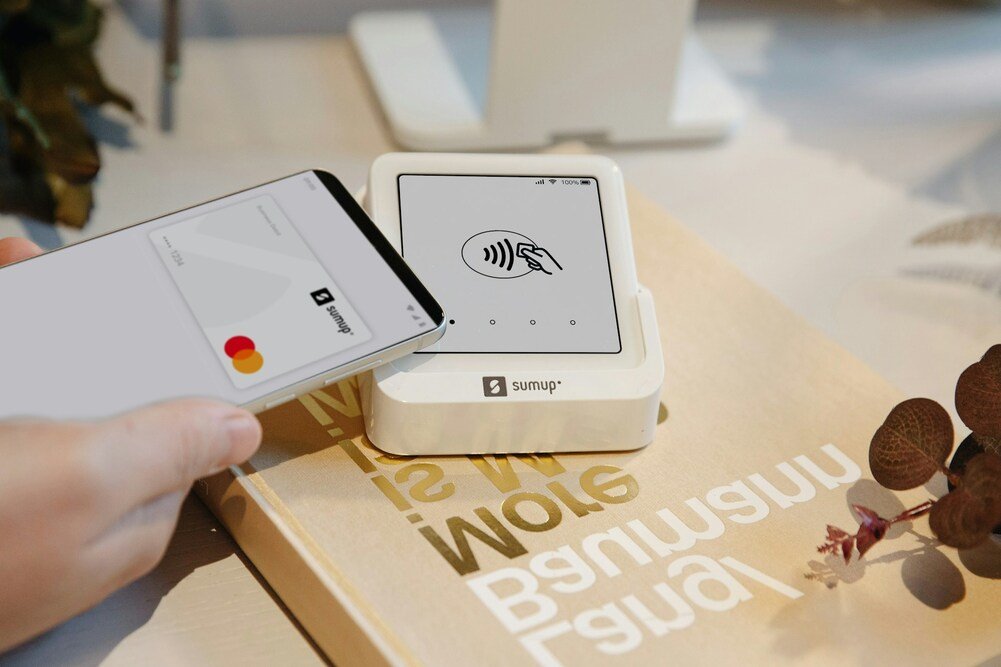
Walmart is finally accepting tap-to-pay. Here’s how Apple Pay, Google Pay and contactless cards protect your payment information — and what to know before you use them.
Anamika Dey, editor
By TechSun News Desk | techsunnews.com | August 22, 2026 | Tech / Trending | 8 min read
For years, there was one oddly frustrating thing about checking out at Walmart: you couldn’t just tap your phone. You’d reach for Apple Pay out of habit, hold it over the terminal, and… nothing. While nearly every other big chain had moved on, Walmart held out. That era is ending.
On August 21, Walmart announced it’s finally adding tap-to-pay at checkout — starting August 24 at select Walmart and Sam’s Club locations, and reaching all U.S. stores by the end of 2026. For most shoppers it’s a small, overdue convenience. But it’s also a good moment to answer a question plenty of people quietly have and never look up: is tapping your phone to pay actually safe? The short answer is yes — often safer than the plastic card already in your wallet. The reason comes down to how the payment is handled.
What Walmart Actually Announced
Let’s be precise about what Walmart did and didn’t say, because the details matter. In its official announcement, Walmart said tap-to-pay is coming to Walmart and Sam’s Club, beginning at select locations on August 24 and rolling out to all U.S. stores by the end of 2026, with fuel stations following by mid-2027.
One detail worth flagging: Walmart’s own press release doesn’t actually name Apple Pay or Google Pay. It refers only to an “eligible contactless card, phone, or smartwatch.” The confirmation that Apple Pay, Google Pay and Samsung Wallet are all supported comes from news outlets such as CBS News and TechCrunch, and from a Walmart spokesperson speaking to Business Insider — not from the announcement itself.
It’s still a real reversal. For over a decade, Walmart steered shoppers toward its own QR-code-based Walmart Pay app instead of the contactless wallets most other retailers had already embraced, and Walmart Pay isn’t going away now. Walmart frames the change simply as giving customers more choice at checkout. (You may see takes online arguing the company resisted tap-to-pay mainly to keep shoppers’ spending data inside its own app. That’s a plausible reading of its history, but it isn’t something Walmart has stated as its reason — so treat it as analysis, not established fact.)
How Tap-to-Pay Actually Works
When you hold your phone or a contactless card near a payment terminal, the two talk over NFC — near-field communication, a radio signal that only works across a few centimeters. That short range is one reason NFC payments are difficult to trigger accidentally: your device has to be almost touching the reader for anything to happen at all.
The important part isn’t the tap itself. It’s the information your phone sends to the terminal. When you add a card to Apple Pay, Google Pay or Samsung Wallet, the wallet doesn’t store your actual card number on the phone. Instead it creates a stand-in: a unique token (sometimes called a device account number) that represents your card without being your card. Every time you pay, the phone sends that token plus a one-time security code that’s useless to anyone who might intercept it. Your real 16-digit card number never touches the terminal.
Does the Store See Your Card Number?
No. Because of tokenization, the merchant receives a token and a one-time code instead of your real card details.
That matters when a retailer suffers a data breach—which happens more often than anyone would like — the card numbers that get stolen are exactly the ones customers swiped or typed in. Tokenized payments don’t hand that information over in the first place, so there’s far less for attackers to grab. If you’ve ever had to replace a card after a store breach, you’ll appreciate the difference. And if you’re ever worried your details are already out there, our guide on how to check if your data has been leaked is a practical place to start.
Is Apple Pay Safer Than Swiping a Physical Card?
For most people, yes. A phone wallet adds several security layers that a physical card doesn’t have:
- Tokenization — your real card number is never shared with the store.
- A one-time code per payment — even if someone captured the data, they couldn’t reuse it.
- Biometric approval — the payment only goes through after your face, fingerprint or passcode confirms it’s you.
Compare that to a physical contactless card, which anyone can tap up to a certain limit if they find it — no face check, no fingerprint. Your phone won’t pay unless it knows it’s you, which is why that makes a phone wallet harder to use if it falls into the wrong hands.
One honest nuance on privacy between the wallets: Apple says it doesn’t keep transaction details that can be tied back to you, which makes Apple Pay the most privacy-protective of the three. Google Pay and Samsung Wallet are secure too, but Google in particular may use some purchase data within its wider ecosystem — so if minimizing data collection matters to you, that’s worth knowing before you pick a default.
What Happens If You Lose Your Phone?
This is the worry that stops a lot of people from using phone wallets, and a lost phone is not an open wallet. Because every payment needs your Face ID, fingerprint or passcode, whoever finds it can’t just tap and buy.
On top of that, you can act remotely. Apple’s Find My and Google’s Find My Device let you lock or erase the phone from anywhere, and you can suspend or remove the cards in your wallet through your Apple or Google account without cancelling the physical card. In practice, a lost phone running Apple Pay is often safer than a lost physical wallet stuffed with tap-ready cards.
How to Use Apple Pay, Google Pay and Samsung Wallet Safely
Setup takes a couple of minutes on any of them:
- Apple Pay — open the Wallet app, tap the “+”, and add your card by scanning it or entering the details. Your bank confirms it once.
- Google Wallet — open the app, tap “Add to Wallet” then “Payment card,” and follow the steps.
- Samsung Wallet — open Samsung Wallet, tap “+”, and add your card.
A few habits keep the whole thing airtight:
- Lock your phone with biometrics and a strong passcode — the entire system leans on this one layer.
- Keep your software updated — the same advice that guards against other phone threats, like the ones in our piece on zero-click attacks.
- Turn on Find My / Find My Device — so you can lock a lost phone in seconds.
- Stay alert to payment scams — the wallet is secure, but fake “payment problem” messages aren’t; our roundup of AI scams to watch for covers the common tricks.
At the register, you don’t even need to open the app — just wake your phone and hold it near the reader.
| THE BOTTOM LINE
Walmart’s move to tap-to-pay is convenient, but the security side is worth paying attention to as well: paying by phone isn’t just easier, it’s usually safer than the card it replaces. Tokenization keeps your real card number away from the merchant, while a one-time security code helps prevent intercepted payment data from being reused. Your phone’s Face ID, fingerprint or passcode adds another layer of protection. You still need to keep your phone locked and updated and turn on Find My or Find My Device. For everyday spending, tap-to-pay is both convenient and, in many cases, more secure than using a physical card. |
Frequently Asked Questions
Is tap-to-pay safe to use?
Yes. Tap-to-pay through Apple Pay, Google Pay or Samsung Wallet can be safer than swiping or inserting a physical card. Your real card number is replaced with a token, each payment uses a one-time code, and the transaction only completes after your fingerprint, face or passcode approves it.
Does Walmart see my card number when I use Apple Pay?
No. Thanks to tokenization, Walmart — or any merchant — receives a stand-in token and a one-time security code, not your actual card number. That’s a big reason tap-to-pay limits your exposure even if a store is later breached.
When can I start using Apple Pay at Walmart?
Walmart began rolling out tap-to-pay at select Walmart and Sam’s Club locations on August 24, 2026, with all U.S. stores expected to support it by the end of 2026 and fuel stations by mid-2027. Apple Pay, Google Pay and Samsung Wallet are among the supported options, according to news reporting.
| OVER TO YOU
Be honest — are you already a tap-to-pay person, or do you still reach for the physical card (or cash)? And now that it’s finally coming to Walmart, will you actually use it? Tell us in the comments. |
techsunnews.com | Tech / Trending | © 2026





One thought on “Walmart Finally Accepts Apple Pay: Is Tap-to-Pay Safe? Here’s How It Works”