TechsunNews Desk| 20th November 2026| Read 11 minutes
Phone lost or stolen? Act in the first few minutes. Written for US readers, covering iPhone and Android.
Phone Lost or Stolen: What to Do in the First Five Minutes
- Try to locate it. From another device, use Find My (iCloud.com/find) for an iPhone or Google Find Hub for an Android.
- Lock it. Turn on Lost Mode (iPhone) or Mark as lost (Android).
- Contact your carrier. After trying to locate the phone, report it lost or stolen, then ask about suspending the line and blocking the device.
- Secure your accounts. Start with your main email, then banking.
- Report a theft. If you think it was stolen, contact local police with the IMEI and serial number.
iPhone: If you think it was stolen, don’t add a phone number or message to Lost Mode, because a thief can use it for scams. Never remove the phone from Find My, because that removes Activation Lock.
Android: Mark as lost lets you add contact details and a message to the lock screen.
Both: A remote lock or erase needs the phone to meet the service’s connection and setup requirements. Apple says an erase command sent to an offline iPhone begins when the device next comes online.
Don’t erase right away. Erasing is permanent. Treat it as a last resort if you don’t expect to get the phone back. On Android, it also removes the phone from Find Hub.
How to Find a Lost iPhone
Find My only works if it was on before the phone went missing. If it wasn’t, the phone won’t appear, you can’t mark it lost or erase it, and you should change your Apple Account password right away.
On another trusted Apple device signed in to your Apple Account, open Find My, tap Devices and select your iPhone. Otherwise, sign in at iCloud.com/find and open All Devices. If you can’t get a verification code, select Find Devices to sign in without one.
If the phone can be located, it appears on the map. Otherwise you’ll see “No location found,” and you can turn on Notify When Found. An offline phone shows its last known location, which may not be where it is now. A map pin is an estimate, not proof of where the phone is.
Tap Play to ring it; offline, it rings once the phone reconnects. To lock it, tap More, then Lost [Device], turn on Lost Mode and tap Activate. Lost Mode locks the phone with your passcode and suspends Apple Pay cards. A phone that’s off or offline won’t show as being in Lost Mode until it reconnects.
How to Find a Lost Android Phone
Find Hub needs the phone to have power, a connection, a signed-in Google Account, Find Hub on and visibility on Google Play. Google’s setup steps also call for Location and “Allow device to be located.” Features vary by settings, Android version and model.
On another Android device, open the Find Hub app and sign in (as a guest on a friend’s device). Without one, go to Google’s Find Hub page. Select your phone.
The map shows an estimate from GPS, Wi-Fi or cell towers, with a circle showing Google’s confidence. GPS is accurate to about 20 meters, while cell tower estimates can be off by a few thousand. Find Hub may show the last known location if the current one isn’t available.
Play sound rings the phone at full volume for 5 minutes, even on silent. Mark as lost locks it and turns off notifications, widgets and quick access. Anyone who finds the phone can see any contact details and message you add.
An offline phone may only show its last known location. On supported devices such as the Pixel 8 series, Google says the Find Hub network can locate a powered-off phone for several hours if Bluetooth and Location were on at shutdown. It needs a screen lock and the right settings, and isn’t on every Android phone.
How to Lock or Erase Your Phone Remotely
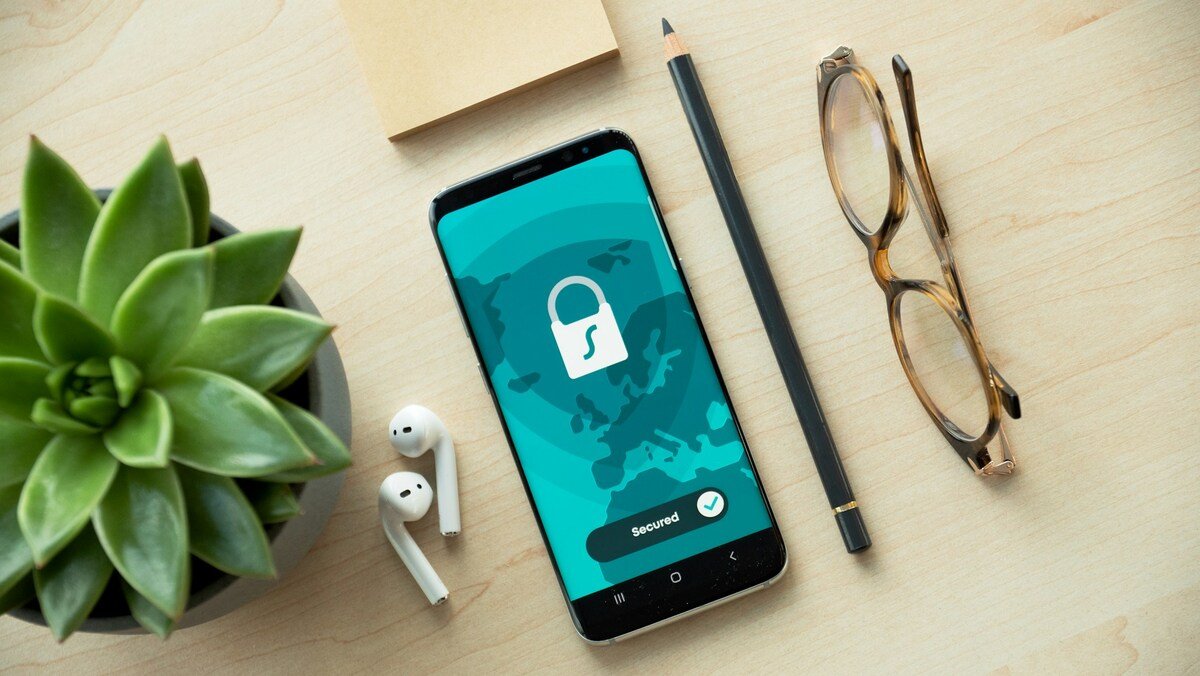
A lock keeps your data on the phone but out of reach. An erase permanently deletes it. Lock first, and erase only as a last resort. To wipe a phone you still have, see How to Erase Your Phone Before Selling It.
iPhone: Apple says to erase remotely only if you can’t recover the phone and have tried everything else. In Find My on another Apple device, tap Devices, select the phone, tap More, then Erase and Continue, enter your Apple Account password and tap Erase again. At iCloud.com/find, choose the erase option. If it’s offline, the erase runs the next time it connects, and you can cancel only if you find it first. Keep the phone in Find My, because Activation Lock stays on. With AppleCare+ Theft and Loss, also keep it in your Apple Account until the claim is approved.
Android: Open Find Hub, select the phone, tap Settings, then Factory reset. This permanently deletes all data, though SD cards may not be erased. After the factory reset, the phone is removed from Find Hub, so you can’t locate or lock it from there. If you recover it, you may need your Google Account password to set it up again.
Contact Your Mobile Carrier
Try to locate the phone first, because AT&T says GPS apps and features can’t locate a suspended device. Suspending stops service on your account. Blocking stops the phone itself from working on the carrier’s network. If it was stolen, ask for both. Blocking doesn’t necessarily stop Wi-Fi access, so keep the phone locked.
Verizon: Use Suspend or Reconnect Service in My Verizon. A lost or stolen suspension blocks calls, texts and mobile data, and the device is blocked on any Verizon account. It lasts up to 30 days. After 30 days the line disconnects, you lose the number and fees may apply. You can use it once per line every 12 months. Device payments and recurring subscriptions may still be billed.
AT&T: In your account, open Device options and select Suspend wireless service. If the phone was stolen, also block it. While suspended, you can only call 911 and 611. A blocked phone won’t work on AT&T even with another SIM, and AT&T notifies other providers, who may block it too. Plan, add-on and installment charges continue. AT&T’s support pages don’t specify how long a suspension can last.
T-Mobile: In T-Life or on T-Mobile.com, select the device under Account and choose Report device lost or stolen, then block it and decide whether to suspend the line. Suspending turns off calls, texts, voicemail and data. T-Mobile reports the phone’s IMEI, a unique number that identifies the phone, to an international database, so it won’t work on most carrier networks even with a different SIM. Your bill is still due, including device payments.
On another carrier or a prepaid plan, ask the provider how to suspend service, block the device and protect your number. For eSIM basics, see What Is an eSIM?
Protect Your Email, Banking and Social Accounts
Use a computer or another phone you trust.
Google: Under Security, Your devices, Manage devices, choose the lost phone and select Sign out. Separately, change your password and check that your recovery email and phone number are still yours.
Apple Account: Review the device list and Sign-In & Security settings, and remove devices you don’t recognize. If anything changed that you didn’t authorize, change your password. If your iPhone was stolen, don’t remove it from Find My or your device list while a Theft and Loss claim is pending.
AT&T advises changing passwords for accounts on the lost phone: email first, then banking and payment apps, then social media and shopping. For passkeys, see What Is a Passkey?
If your phone was your second factor, Google lets you verify with another signed-in phone, a second number, a backup code or a security key. Without backup codes or a key, you may need a new SIM from your carrier to lock or erase the phone remotely. Apple says that if your iPhone is your only trusted device and the only one that receives your trusted number, you can’t get verification codes. Choose Didn’t get a code? and use another trusted number. See Authenticator App vs SMS.
Banking: Contact your bank or card issuer if cards or banking access were stored on the phone, and ask whether to freeze or replace them. If you see fraud, ask the fraud department to close or freeze the account and change your logins, passwords and PINs.
What to Do If Someone Stole Your Phone
File a police report with the make, model, serial number and IMEI. Your carrier may ask for proof of theft before blocking the device, so keep a copy of the report.
Find your IMEI and serial number without the phone. For an iPhone, sign in at account.apple.com, open Devices and select the phone. For an Android, open the Find Hub app on another device, select the phone and tap Settings.
Watch for scams. Apple says it will never contact you to say your iPhone has been found. Never share passcodes, passwords or verification codes in response to an unsolicited message or call, and verify requests through the company’s official website or app. Report suspicious Apple texts by emailing a screenshot to reportphishing@apple.com. If you clicked a link, see Clicked a Scam Link?
Don’t try to get it back yourself. If Find My or Find Hub shows the phone somewhere unfamiliar, leave it to the police.
Can Someone Access Your Phone Without Your Passcode?
A strong screen lock is your first defense, but not a guarantee. Apple says longer passcodes are stronger. Google recommends a PIN of six or more digits, or a unique password.
iPhone: Stolen Device Protection is designed to stop a thief who knows your passcode from making critical changes. It needs iOS 17.3 or later and must be on before the phone is lost. Away from familiar places such as home or work, actions like using saved passwords or erasing content need Face ID or Touch ID with no passcode fallback. Changing your Apple Account password also needs a one-hour wait and a second authentication. Apple says the additional safeguards last only for a period of time, so mark a stolen iPhone as lost quickly. If the password is changed from the iPhone, device locations may be hidden at iCloud.com/find for a period of time.
Android: Look under Settings > Google > All services > Theft protection. Availability depends on your model and Android version. Theft Detection Lock locks the screen if it detects a grab-and-run, and Offline Device Lock locks it after short offline use. Remote Lock lets you lock the phone at Google’s Remote Lock page with your phone number; turn it on in advance. If the phone is offline, Google says it locks when it reconnects. Identity Check, on certain devices, requires biometrics for sensitive actions outside trusted places.
How to Prepare Before a Phone Is Lost or Stolen
- Find My: Go to Settings > your name > Find My > Find My iPhone. Turn on Find My network and Send Last Location.
- Find Hub: Check that Allow device to be located is on under Settings > Security > Find Hub, and set a screen lock.
- Recovery options: Add a trusted phone number to your Apple Account that isn’t tied to your iPhone. For Google, add a second number, backup codes or a security key.
- Backups: Turn on iCloud Backup (Settings > your name > iCloud) or Android device backup.
- IMEI and serial number: Find them under Settings > General > About (iPhone) or Settings > About phone (Android). Store them with your important documents, not in a note accessible only from your phone.
Frequently Asked Questions
Can I track my phone if it’s switched off?
Usually, you can’t get a live location once a phone is switched off. Find My and Find Hub may show its last known location, if one is available. Some supported Android phones may be findable for several hours.
Can someone use my phone with another SIM?
Not on a network that has blocked it. T-Mobile says a blocked phone won’t work on most carrier networks, even with a different SIM. Blocking doesn’t necessarily prevent Wi-Fi access, so keep it locked.
Should I erase my phone immediately?
No. Lock it first, then secure your accounts and call your carrier. An erase can’t be undone, and an erased Android phone leaves Find Hub.
Can I block a stolen phone using its IMEI?
Your carrier does the blocking, so report the phone and ask it to block the device. The IMEI is the identifier carriers use, but it isn’t a remote lock you can send yourself.
What happens to my eSIM if my phone is stolen?
Contact your carrier promptly to suspend the stolen phone’s line and secure your number. Your carrier can then transfer or reissue your plan on a replacement phone. Apple says activating a plan on a new iPhone deactivates the previous SIM.
Helping a parent protect their phone? My Parents’ Phone Safety Guide is a plain-English guide for adult children, with a one-page printable sheet for the fridge. You can read more about the guide on TechSunNews, or get it on Gumroad for $9.