By Anamika Dey, editor| September 28, 2026
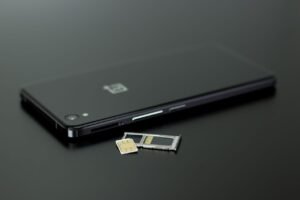
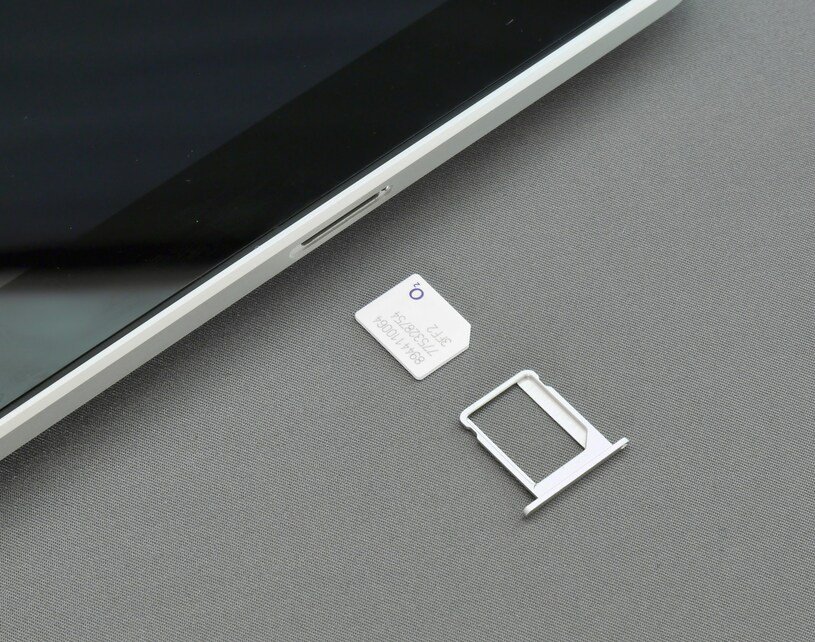
You open the box of a new phone and reach for the little ejector pin. Then you notice there’s nothing to poke. No tray, no tiny hole, just a smooth edge.
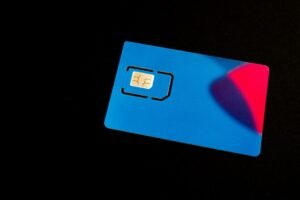
If you bought an iPhone or a Pixel in the US in the last few years, that has probably already happened to you. The plastic SIM card is on its way out here, and the thing replacing it is called an eSIM. It can make switching carriers and getting data abroad a lot easier, but it can also make changing phones more complicated.
Here’s the plain version: what an eSIM is, how it differs from the card you’re used to, and seven things worth knowing before you switch.
What This Article Covers
|
What Is an eSIM?
eSIM stands for embedded SIM. It does the same job as the card: it tells your carrier who you are, so your phone can make calls, send texts and use data. The difference is that it’s built into the phone. The FCC describes an eSIM as hardwired into the phone itself, which is why there’s nothing to slide out and nothing small enough to drop down the back of the sofa.
One thing people get wrong: an eSIM isn’t a new kind of plan or a different network. Your carrier, your number and your bill can all stay the same. Only the way the SIM reaches your phone changes.
How Does an eSIM Work?
 Instead of handing you a card, your carrier sends your phone a digital profile, which is basically your plan’s identity. Depending on the carrier, that can happen automatically when you buy the phone, through a QR code, through the carrier’s app, or, on an iPhone, by moving it over from your old iPhone during setup. Apple lists these activation methods and notes that not every carrier supports every one.
The profile is stored on the chip. Newer phones can keep several saved and run two lines at once. MacRumors notes that an iPhone can manage at least eight eSIMs, and 9to5Google says Pixel phones can store up to eight and use two at the same time.
eSIM vs Physical SIM
| eSIM | Physical SIM | |
| Where it lives | Built into the phone | A removable plastic card in a tray |
| Getting one | Carrier sends a digital profile: QR code, app, or automatic setup | Carrier or store hands you a card |
| Switching carriers | Can be done from the phone, no card to wait for (unlocked phones) | Swap the card, or wait for a new one |
| Two numbers on one phone | Yes, on supported phones | Only if the phone has two trays or a tray plus eSIM |
| Moving to a new phone | Transfer or carrier reissue needed | Pop the card out and put it in |
| Lost or stolen phone | Nothing to pull out; call your carrier | Card can be removed and used elsewhere |
Which Phones Are eSIM-Only Now?
This is the part that catches people out, because it depends on the phone and on where you bought it.
- iPhone 14 and later (US): Apple says these models bought in the United States can only be activated with an eSIM.
- iPhone 17 and iPhone 18 Pro models: Apple’s own list says these are eSIM-only when bought in the United States, U.S. Virgin Islands, Canada, Mexico, Japan, Guam, the United Arab Emirates, Saudi Arabia, Bahrain, Kuwait, Qatar or Oman. Bought anywhere else, they have an eSIM plus a nano-SIM slot. MacRumors also reports that Apple says the space saved goes to a bigger battery.
- iPhone Duo and iPhone Air: the foldable iPhone Duo is the clearest sign of where this is heading. MacRumors says it’s eSIM-only worldwide, with no tray in any country, and Apple lists the iPhone Air as eSIM-only too. If you’re weighing the Duo, our iPhone Duo explainer covers the rest of the phone.
- Pixel 11: eSIM-only in the US, like the Pixel 10 before it. 9to5Google reports the Pixel 11 Pro Fold is an exception and still supports a physical SIM in the US.
- Other Android phones: it varies by maker and model, so check the spec sheet for the exact version you’re buying.
Seven Things to Know Before You Switch
1. Check your phone and carrier, not just one of them
Most recent phones support eSIM, but carriers differ in how they set it up. If you want to use a different company’s eSIM, like a prepaid or travel plan, the phone generally needs to be unlocked. Apple says that if your iPhone is unlocked, you can use eSIM plans from other carriers. A phone still tied to your carrier may not allow it.
2. You might not get a choice
If you’re buying a new flagship in the US, the tray may simply be gone. If you specifically want a physical SIM, look at the spec sheet before you pay, because a phone bought in the US can have a different SIM setup from the same model sold in Europe.
3. Switching plans and adding lines gets easier
This is where eSIM genuinely wins. The FCC points out that you don’t need a tool or a paperclip, and that when travelling you can pick a plan for the country you’re visiting instead of swapping cards. Apple says worldwide providers offer eSIM plans in over 190 countries and regions. A common setup is keeping your home line for calls and texts and adding a local data plan. Just make sure roaming is switched off on the home line if you don’t want a surprise bill.
4. Moving to a new phone is the fiddly part
With a card, you pull it out and you’re done. With an eSIM, you have to transfer it. On iPhones, eSIM Quick Transfer works if your carrier supports it, and Apple says that when the plan activates on the new phone it deactivates your previous SIM. Moving between iPhone and Android is newer: Apple says some carriers and manufacturers now support it with recent software, and if yours doesn’t, you contact your carrier. Many travel eSIMs can’t be moved at all and need to be set up again on the new phone. It’s sensible not to wipe your old phone until the new one is actually connected.
5. A broken or lost phone means a call to your carrier
This is the trade-off nobody mentions in the ads. If your screen dies, you can’t pull the SIM and drop it into a spare phone. You’ll need your carrier to reissue the eSIM. The flip side is that a thief can’t just take the SIM out of a stolen phone and use it somewhere else.
6. It’s safer against one kind of theft, not all of them
The FCC says an eSIM can’t be stolen without stealing the phone, whereas removable cards are sometimes taken and used in scams to intercept your calls and texts. That’s a real benefit. But the FCC is also clear that port-out scams remain a security concern. In those, someone impersonates you to your carrier and gets your number moved. An eSIM doesn’t stop that, because the weak point is the carrier’s customer service, not the plastic.
What helps: set a PIN or password on your carrier account, as consumer groups like U.S. PIRG advise; turn on any number-lock or SIM-protection setting your carrier offers (names vary, so check yours); and move important accounts off text-message codes and onto an authenticator app or passkeys, so a hijacked number can’t unlock them.
And a quick reality check on privacy. An eSIM doesn’t change what your carrier knows or what the apps on your phone can see. That’s a separate problem, and we went through it in Is Your Phone Spying on You?
7. Wipe the eSIM before you sell or recycle the phone
People forget this one. The FCC says that if the phone you’re replacing uses an eSIM, you should wipe all data from it before you dispose of or recycle it, and to ask the manufacturer and your carrier how to do that properly.
So, Should You Switch?
If your phone has no tray, you’re already on eSIM and there’s no decision to make. If it still has one, here’s a simple way to decide:
- Choose eSIM if: you travel a lot, run two numbers on one phone, or change plans often.
- Stick with a physical SIM if: you regularly move your SIM between phones, or you want an easy emergency swap when a phone dies.
| The Bottom Line
An eSIM makes plans and travel easier and phone changes fussier. Whichever you use, lock down your carrier account and wipe the eSIM before you hand a phone on. |
Frequently Asked Questions
Can I use an eSIM and a physical SIM at the same time?
Yes, on phones that have both a tray and eSIM support. The FCC notes some phones can hold a removable card and an eSIM together, so you can keep two numbers, like personal and work, on one device. Phones with no tray, such as US iPhone 14 and later models, need two eSIMs instead, and many recent models support that.
Will switching to an eSIM change my number or plan?
Not by itself. The eSIM is just a different way of delivering the same service, so your number and plan usually carry over. Some carriers let you convert a physical SIM to an eSIM right on the phone, while others use a QR code or a store visit. Check with your carrier before you start.
What happens to my eSIM if my phone is lost, stolen or broken?
Call your carrier as soon as you can. They can suspend the line if the phone is lost or stolen, and set up a new eSIM once you have a replacement.
Your Turn
Has your phone already gone eSIM-only, and did the switch go smoothly, or did you end up on hold with your carrier? Tell us in the comments.
| Editor’s Observation
The technology isn’t really the story. The story is that the choice is being made for a lot of us at the phone-maker level, and the reasons given (battery space, security) are real ones. But it does mean your phone is now more dependent on your carrier’s process when things break. The boring habit that protects you is knowing how to move your eSIM before the day you have to. |
Sources
- Apple Support: Remove or switch the SIM card in your iPhone
- Apple Support: Find out which type of SIM your iPhone or iPad uses
- Apple Support: Set up eSIM on iPhone
- Apple Support: Carriers that offer eSIM service on iPhone
- Apple Support: Transfer your eSIM from Android to iPhone
- FCC: eSIM Cards FAQ
- FCC: Cell Phone Fraud
- MacRumors: iPhone 18 Pro is eSIM-Only in These Countries
- 9to5Google: The Pixel 11 series is still eSIM-only in the US
- U.S. PIRG Education Fund: SIM swap scams can be devastating