By TechsunNews Desk| Security/Privacy | 4th November 2026 | 10 min read
Think about the last time a website asked you for a code. A text popped up, you typed six digits, and you were in. Ten seconds, maybe less. That little ritual is two-factor authentication, and most of us never stop to question it.
But the authenticator app vs SMS question comes down to one thing: where does that code come from, and who else can get to it? A text message travels through your phone company. An authenticator app makes the code on your own phone. It sounds like a small difference. For some accounts it really isn’t, and by the end of this piece you’ll know which ones, and how to switch without locking yourself out.
What This Article Covers
|
Is SMS two-factor authentication safe?
Short answer: it’s far better than nothing, and it’s also the weakest of the common options. Both are true at once.
On the better-than-nothing side, Google worked with researchers at NYU and UC San Diego to see what actually stops account takeovers. In their study, an SMS code sent to a recovery phone helped block 100% of automated bots, 96% of bulk phishing attacks and 76% of targeted attacks. Those figures are from 2019 and describe a text code used as a sign-in check, so they’re not a promise for every account today. They do show a text code stops most cheap, mass-produced attacks.
The trouble is the targeted ones. Three weak spots keep coming up:
- Your number can be taken. In a SIM swap, a scammer talks your phone company into moving your number to a SIM they control, and your codes start landing on their phone. The FTC says text message verification may not stop a SIM swap and suggests an authentication app or security key if that worries you. We explain how the scam works in our SIM swap guide.
- Texts aren’t encrypted. CISA’s December 2024 mobile guidance says not to use SMS as a second factor, because someone with access to a carrier’s network could read the messages. One fair caveat: that advice was written mainly for highly targeted people, such as senior officials, after telecom intrusions linked to China. It isn’t a warning that every text code is about to be read.
- You can be talked into handing it over. A fake login page asks for your password, then for the code that just arrived. You type it in, and the attacker uses it on the real site seconds later. And of course, no signal means no code.
Authenticator app vs SMS: what actually changes
An authenticator app (Google Authenticator, Microsoft Authenticator, or the code feature built into many password managers) doesn’t receive anything. When you set it up, the site shows a QR code. Scanning it gives the app a secret. From then on the app works out a fresh six-digit code from that secret and the current time, usually refreshing every 30 seconds or so. Nothing goes through your phone company, and the codes keep appearing even with no signal.
That closes the SIM swap hole. Someone who steals your number gets your texts, but not your app. It’s the reason the FTC points to apps and keys.
There are two catches, though. First, the code is tied to your phone, not your number. Lose the phone with no backup and you may be locked out of the account until you get through recovery. Second, and this is the part many guides skip, an app code can still be phished. If a fake site asks for it and you type it in, the attacker gets the same six digits you did. CISA’s phishing-resistant MFA fact sheet counts only FIDO/WebAuthn (security keys and passkeys) and PKI-based methods like smart cards as phishing-resistant. So an app is a solid step up from texts, not the finish line.
Authenticator app vs SMS vs security key vs passkey
Here’s the authenticator app vs SMS question, plus keys and passkeys, in one table. Passkeys sit slightly apart because they can replace the password entirely, rather than add a second step. We cover that in What Is a Passkey? and Are Passkeys Still Safe?.
| Method | Stops a SIM swap? | Stops a fake-site phishing page? | Needs phone signal? | Biggest catch |
|---|---|---|---|---|
| Text message (SMS) | No | No | Yes | Tied to your phone number, which can be taken over |
| Authenticator app | Yes | No | No | Lose the phone without a backup and you can be locked out |
| Security key | Yes | Designed to resist it | No | You have to buy one, and keep a spare |
| Passkey | Yes | Designed to resist it | No | Not on every site yet, and a text fallback can weaken it |
| Quick Answer
If a service supports an authenticator app, it is generally a safer choice than SMS. For stronger protection against phishing, choose a passkey or security key where it is offered. |

One thing to watch with passkeys and keys: CISA notes some services still fall back to SMS when you recover an account. If a text fallback is left on, an attacker may simply pick that route instead. And none of this helps if the phone or the account holding your codes has itself been taken over.
When SMS codes are fine
More often than the internet makes it sound. If an account is low stakes, or a text code is the only second step the service offers, keep it on. Turning off the only protection you have because of a scary headline is the wrong trade.
Singapore is a useful example of this shift. In July 2024 the Monetary Authority of Singapore and the Association of Banks in Singapore announced that major retail banks would phase out one-time passwords for login for customers who had activated a digital token, because OTPs can be stolen or talked out of people. If your bank offers an app-based token, use it. If it only sends text codes, and some still do, leave that switched on. You can’t change what the bank doesn’t offer.
Which accounts to switch first
If you’re going to make the authenticator app vs SMS switch, do it where it counts most.
- Your main email. Password reset links land here, so whoever owns your inbox can often reach everything else. If you only do one, do this.
- Your Apple, Google or Microsoft account, since they hold your phone backups, photos and often your payments.
- Banking and payment apps, wherever they offer an app option.
- Your password manager. Our password manager guide explains why this one account guards all the others.
- Crypto, trading and any social account you use for work or business.
Switch sooner if your number is public (a business listing, say), if you travel a lot, or if you’ve already been through a SIM swap scare.
How to switch without locking yourself out
- Pick one app and stay with it. Google Authenticator, Microsoft Authenticator or your password manager’s built-in codes all work. If you sign in to your Google Account inside Google Authenticator, your codes sync to it, so a lost phone isn’t the end. The trade-off is that your codes now depend on how well that Google account is protected.
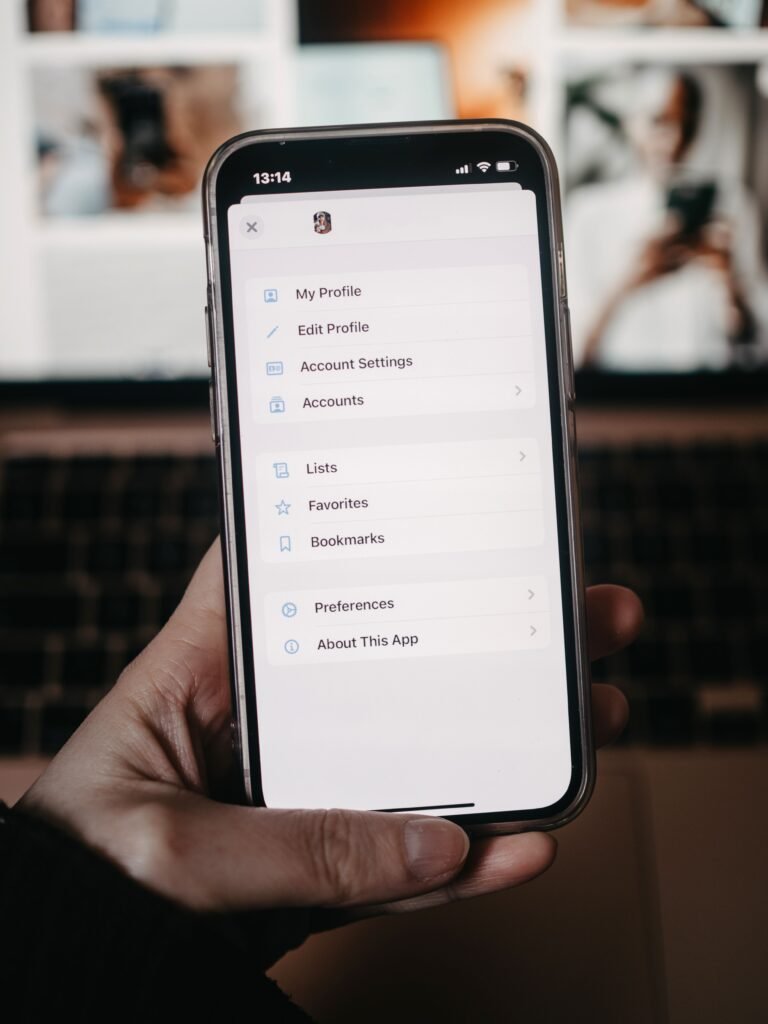
- Start with your email. Open its security settings and look for 2-step verification (every service words it a little differently). Choose authenticator app, scan the QR code shown on that page, then type the six-digit code to confirm.
- Save the backup codes. Most services hand you a set of one-time codes at this point. Put them in your password manager or print them and file them somewhere that isn’t your phone. This is the step people skip, and it’s the one that saves you.
- Test before you trust it. Open a private browser window, sign in, and use a code from the app. Only carry on if it works.
- Then remove SMS, if the site lets you. If the text option stays as a fallback, an attacker can choose it. Where you can’t remove it, at least set a PIN on your mobile account.
- Moving to a new phone? Transfer first, wipe later. Use the app’s export/import feature or its sync, and sign in somewhere using the new phone before you reset the old one.
The gap an authenticator app doesn’t close
Since apps can still be phished, a few habits matter more than the app itself:
- Don’t type a code into any page you reached from a text, email or QR code. Open the site yourself, or use your saved bookmark.
- Let a password manager do the filling. It won’t offer your login on a lookalike address, and that missing prompt is a useful warning.
- Scan only the QR code on the real site’s security page when setting up a new app. Stickers pasted over real codes are an old trick, and our guide to spotting a fake QR code covers it.
- If you typed a code into something you now doubt, change the password, sign out of all devices, and check our phone-hacked warning signs.
| The Bottom Line
In the authenticator app vs SMS contest, a text code is a good start and a weak finish. An app closes the SIM swap hole and works without signal, but it won’t stop a convincing fake page. A security key or passkey closes that too, where it’s offered. So: move your email first, save the backup codes, test it, and then work outward. |
Frequently asked questions
Is SMS two-factor authentication better than no 2FA at all?
Yes. Google’s own study, quoted above, found a text code blocked most automated and bulk attacks, so the gap between on and off is bigger than the gap between authenticator app vs SMS. If SMS is the only option a service gives you, use it. Move to an app on the accounts that matter when you get the chance.
Can an authenticator app be hacked?
Hard to break remotely, but not unbreakable. Someone who only has your phone number can’t read your app codes. The realistic ways in are tricking you into typing a code into a fake site, malware on a phone that’s already compromised, or getting into the account that syncs your codes. Keep your phone updated, and be slow to type codes into anything you didn’t open yourself.
What if I lose the phone that has my authenticator app?
Use the backup codes you saved when you set it up. If your app syncs to an account, as Google Authenticator can, install it on the new phone and sign in. If you have neither, you’ll have to go through the service’s account recovery, which can take days on some sites. That’s exactly why step three above comes before everything else.
| Tell Us
Which do you use on your main email right now: text codes, an authenticator app or a passkey? And has switching phones ever locked you out of an account? Share it in the comments. Other readers get more from real stories than from any checklist. |
| Editor’s Observation
The authenticator app vs SMS argument gets heated online, and I don’t love how security writing treats SMS codes as a joke. Plenty of people have two-factor turned on only because a text code was the easiest thing to switch on, and that still counts for something. What worries me more is the opposite mistake: rushing to an app, skipping the backup codes, then losing the phone. A locked-out account is a security failure too, just a quieter one. Anamika Dey, editor |
Sources
- Google Security Blog: How effective is basic account hygiene at preventing hijacking (May 2019)
- FTC Consumer Advice: SIM Swap Scams: How to Protect Yourself
- CISA: Mobile Communications Best Practice Guidance (December 2024)
- CISA: Implementing Phishing-Resistant MFA
- Google Account Help: Get verification codes with Google Authenticator
- MAS: Banks in Singapore to Strengthen Resilience Against Phishing Scams (July 2024)