By TechSun News Desk | October 26, 2026 | Tech / Privacy | 6 min read
The Google privacy policy on Gmail ads changed on October 16, 2026. It now says content from Gmail, Drive and Google Photos can shape the ads you see, but only if you choose to connect those apps to other Google services. If you never did, nothing changes by default. If you did, here is what it means and how to switch it off. It also builds on our guide to whether Google Gemini is private.
Quick answer: Google still says it does not base personalized ads on your Gmail, Drive or Photos content, with one new exception: data you choose to make available to other Google services that support personalized ads. The exception mainly affects people who turned on Personal Intelligence. You can disconnect Gmail and Photos from Search and Gemini, and you can turn off personalized ads separately in My Ad Center.
What Changed in Google’s Privacy Policy
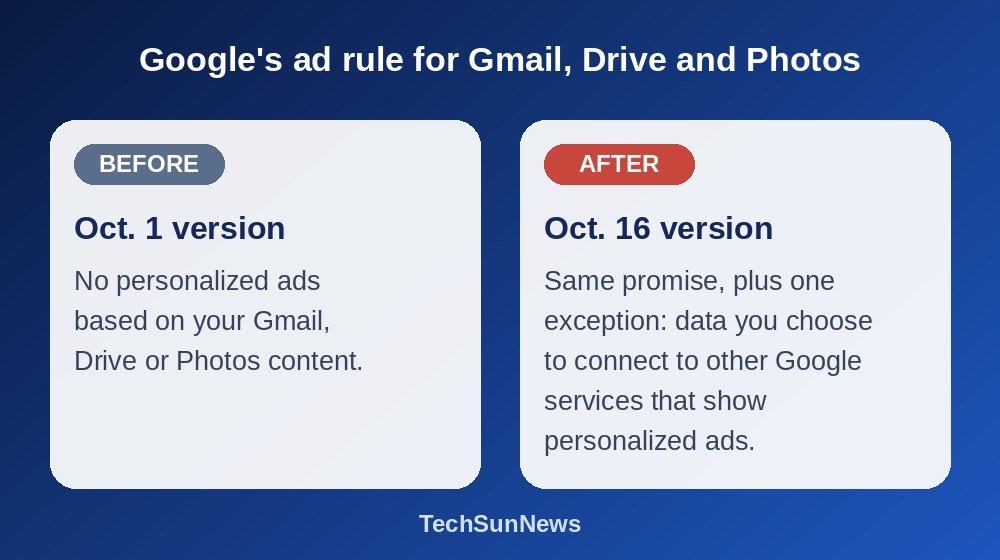
Google used to say flatly that it did not show personalized ads based on content from Drive, Gmail or Photos. The version that took effect on October 16 keeps that sentence and adds a condition: unless you choose to make data from those services available to other Google services that support personalized ads. Android Authority was first to report the change, and you can read the wording yourself in Google’s privacy policy.
The policy gives an example. Search may process some of the data you allow it to access in order to personalize content, including ads.
Who Is Affected?
Only people who connected their apps. The feature behind this is Personal Intelligence, which lets Gemini and Google Search draw on Gmail, Google Calendar and Google Photos to give more personal answers. Connecting is optional, and Google describes it as off by default. If you never turned it on, your Gmail and Photos are not connected to Search or Gemini through Personal Intelligence. Google’s help page adds that the feature is being released gradually, is for adults on personal Google Accounts, and is not available for now in the European Economic Area, the UK, Switzerland or Nigeria.
Google says advertisers do not get access to your Gmail inbox or your photo library, and that ads will not be based directly on them. It also says it does not use sensitive categories such as race, religion, sexual orientation or health to tailor ads. Reports add that a small share of data processed through connected apps may be reviewed by people working for Google or its service providers, to fix and improve its services.
That means Google is not reading your inbox to pick ads. But once you connect an app, information derived from it can influence what you see, including ads.
3 Google Settings to Check Today
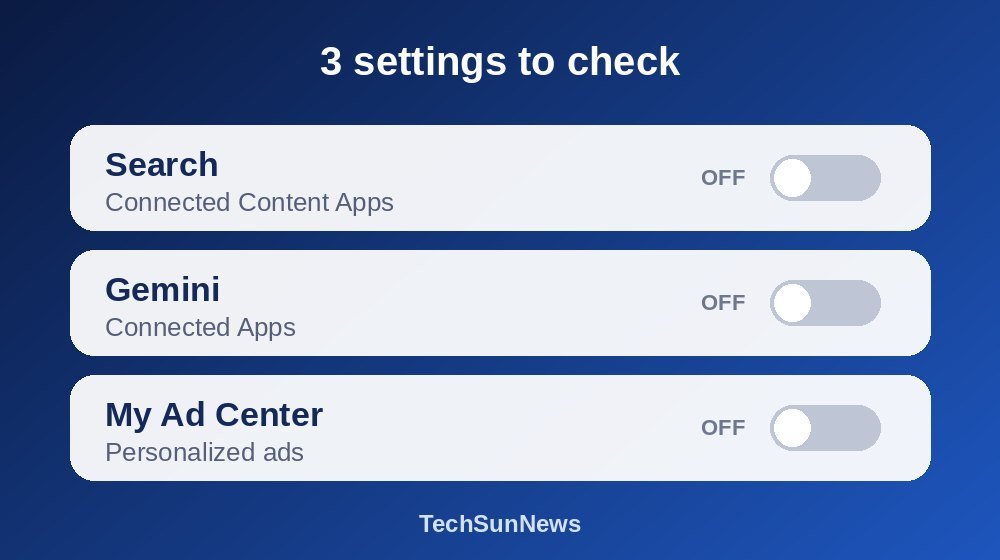
- Disconnect your apps in Search. In your Google Account, go to Data & privacy, then Personalization settings, then Manage Personalized Recommendations in Search Services. Under Additional Personal Intelligence, open Connected Content Apps and disconnect Google Workspace and Google Photos. You can also turn off Personalized Recommendations on that page.
- Disconnect your apps in Gemini. Open gemini.google.com, click Settings & help, then Personal Intelligence, then Connected Apps, and turn off Google Workspace and Google Photos. On the phone app, tap your profile picture and look for Personal Intelligence there. Google’s Gemini help page explains the steps, and also how to turn Personal Intelligence off for a single chat. If you want Gemini to forget something it already learned, do two things: disconnect the app, and delete the chats that contain the information. Google says that if you only disconnect, Gemini might still use details sitting in a past chat.
- Turn off personalized ads in My Ad Center. This is a separate setting, so doing steps 1 and 2 does not turn it off. Go to My Ad Center and switch personalized ads off. It covers all of your ads from Google, not only the Gmail and Photos exception.
Menu names change, so look for these settings by name and check what your own account shows. Disconnecting an app stops it from being used for new personalization, but it does not erase what Google has already saved. Past Gemini chats can still hold the information, and news reports say previously saved data may remain in your Search Services History, so review those too. Turning off personalized ads and disconnecting apps are separate controls, and neither one deletes your history. For the wider clean-up across other assistants, see our guide on how to delete everything AI knows about you.
Google Privacy Policy and Gmail Ads: Your Questions Answered
Does Google read my Gmail to show me ads?
Google says no. It says ads are not based directly on your inbox, and that advertisers cannot see your email. The new exception covers data you choose to connect to services such as Search or Gemini.
Is this turned on by default?
According to Google, no. Connecting your apps is optional and off by default. Check the three settings above to see whether yours are connected.
Does turning off Personal Intelligence stop all personalized ads?
No. Ad personalization has its own switch in My Ad Center, and turning off one does not turn off the other. Other companies are heading the same way: Meta already uses your chats with its AI for ads, and we explain what you can and cannot control in our guide on whether Meta AI is private.
Check Your Settings Now
Have you connected Gmail or Photos to Gemini or Google Search? Take five minutes to look, and tell us in the comments whether you will disconnect them or keep them for the convenience. If a menu on your account looks different from this guide, tell us what you see, and we will update it. For a broader checklist, read our guide on how to stop AI chatbots from training on your data.
Last checked October 26, 2026 against Google’s help pages and news reports on the October 16 update. Google changes these settings often, so confirm the wording on your own screen.