By TechsunNews Desk | November 27, 2026 | Security / Privacy | 10 min read
How to Recover a Hacked Facebook Account: What to Do If You’re Locked Out
What This Article Covers
|
You try to log in and Facebook says your password is wrong. Or an email lands saying the address on your account was changed an hour ago. Or friends message you asking why you sent them a strange link. If you need to recover a hacked Facebook account, the next ten minutes matter more than anything else in this guide.
Recovery is a little better than it used to be. Meta says new hacks fell by more than 30% worldwide on Facebook and Instagram over the past year, and that the relative success rate of hacked-account recovery rose by more than 30% in the US and Canada. There’s also an optional selfie video for proving the account is yours.
But if you’re reading this, you’re probably not an easy case. The hacker changed your email, you lost your authenticator, or Facebook keeps sending you back to the same screen. This guide covers the official steps first, then the stuck situations, where most guides stop helping. One honest warning: nobody can promise you’ll get the account back, and I won’t pretend otherwise.
First, figure out which situation you’re in
Before you try to recover a hacked Facebook account, check whether you can still log in. The two cases need different moves.
You can still log in. Move fast, because the hacker may not have changed your details yet.
- Change your password to a new, unique one. A password manager makes that painless.
- Search your settings for “Where you’re logged in” and log out of any device you don’t recognize.
- Delete any email addresses or phone numbers that aren’t yours.
- Turn on two-factor authentication. Not sure which type? See authenticator app vs SMS.
You can’t log in. Open the inbox of the email you signed up with and search for messages from Facebook, including spam. When an account’s email is changed, Meta sends a message to the previous address with a special link. Clicking it reverses the change and secures the account. That link may be your quickest way back in, so don’t wait until tomorrow. The longer someone controls the account, the harder recovery gets.
If you can’t open that old inbox either, the hacker may have your email too. Fix that first with our Gmail security guide. Not sure how they got in? This phishing explainer and these warning signs of a hacked phone will help.
How to recover a hacked Facebook account with Facebook’s official tool
If the reversal link didn’t work, use Facebook’s own recovery flow. Do it from a phone or computer Facebook already knows, on your usual network. Meta says its systems now recognize trusted devices and familiar locations, so a new device on cafe Wi-Fi may make things harder.
- Type facebook.com/hacked into your browser yourself. Don’t use links from messages, ads or search results. Meta’s help page and the Facebook Help Center both point here.
- Choose the option that says your account is compromised.
- Enter the email, phone number or name on the account. If it asks for a password, try your current one, then an old one.
- Pick a way to confirm it’s you: a code to an email or phone you still control, or a selfie video.
- Follow every screen to the end, and try to use the same device and browser throughout.
If it works, skip to “After you get back in”. If not, keep reading.
Stuck? What to try when the normal steps fail
Most people who try to recover a hacked Facebook account get stuck in one of five spots. Find yours in the table, then read that section. None of these is a guaranteed fix.
| What you’re seeing | Try this first | What to know |
|---|---|---|
| The hacker changed your email and phone | The reversal link in your old inbox, or any device that’s still signed in | One of the hardest cases. No guarantee. |
| Facebook wants an authenticator code you don’t have | “Try another way”, the Code generator on a logged-in device, saved backup codes | Easier with backups. Much harder if the hacker added their own authenticator. |
| Selfie or ID verification keeps failing | Better light, slow head turns, stable Wi-Fi, then retry later | Often fails for simple reasons. If it keeps failing, there’s no official workaround. |
| Recovery sends you back to the same screen | Your usual device and network, no VPN, app vs browser | Results vary. Keep screenshots. |
| Someone offers to recover it for a fee | Don’t pay | Security firms warn these are scams. Nobody outside Meta can unlock your account. |
The hacker changed your email and phone number
- Look for a device that’s still signed in. An old phone, a tablet, a work laptop, a browser you rarely use. If Facebook is open anywhere, use it to change the password and log out every other session. It’s the strongest card you have.
- Search every old inbox you might have used for the reversal email, not just the main one.
- Check your phone number. If texts stopped or your phone lost signal, your number may have been moved to another SIM. Call your carrier right away and read up on SIM swap attacks.
- Skip the “Trusted Contacts” advice. Older guides still mention it, but it stopped working before 2023.
Facebook asks for an authenticator code you don’t have
This often follows a phone reset or a deleted authenticator app. It’s also what you’d see if a hacker switched on two-factor authentication with their own app. To recover a hacked Facebook account in this situation, try these:
- Look for “Try another way” on the code screen. An email, text or backup option is sometimes hiding there.
- Use a logged-in device or saved codes. In the Facebook app, the Code generator under Settings & privacy can give you a code, and any backup codes you saved will work too. Menu names shift, so search for it.
- Restore your authenticator. Some apps back up to an account or iCloud. Restoring onto your new phone brings the Facebook entry back.
- If the hacker added their own authenticator, none of this will help. Meta has to verify you through the recovery flow, which is what the selfie step is for.
Don’t post for help in Meta’s Quest support forum. That team has said it handles only Quest headset issues. Once you’re in, save your backup codes somewhere safe and consider a passkey.
Selfie or ID verification keeps failing
Meta’s selfie video works by comparing your face to the profile pictures on the account. It can fail for boring reasons, so rule those out first:
- Face a window or lamp, with no strong light behind you. Remove glasses, hats and masks.
- Follow the head-turn prompts slowly so the camera can read your face.
- Update the app, switch between mobile data and stable Wi-Fi, and retry. If the upload fails at the processing step, try again later on another network. Several people on Meta’s own forums describe exactly this.
- If your profile pictures are mostly logos, pets or sunsets, the match is harder. Keep one clear photo of your face on the account in future.
Upload your selfie or ID only inside Facebook’s own screens. No real recovery process asks you to send either by direct message.
Recovery keeps sending you back to the same screen
This loop can happen when Facebook doesn’t recognize the device or location you’re recovering from. Try this:
- Turn off any VPN and use the phone or computer you normally use, on your usual network.
- Switch between the app and a desktop browser. They sometimes behave differently.
- Look for Meta’s support options in the app or Help Center. Meta says its AI support assistant has started helping some people log in, but only in select US and Canada cases so far.
- If you’re still logged in to a linked Instagram account, check its help options too.
Keep screenshots of every error and the dates you tried. A record helps if you need to escalate or report fraud.
Someone offers to recover it for a fee
Don’t pay. Security firms like ESET warn that paid “recovery” services are a scam, and the FTC says to follow the platform’s own recovery steps. Red flags:
- A stranger replies to your post or DM offering to “get it back for you”.
- They guarantee success or want payment upfront, especially gift cards, crypto or a bank transfer.
- They ask for a code Facebook sent you. That code lets them in, not you.
- They ask you to share your screen.
If you’ve already paid, call your bank or card company and report it (see step 6 below). Don’t pay any “release fee” they invent afterwards.
When there may be no way back
Sometimes there’s nothing left to try. AVG notes there’s no dedicated customer service center for hacked Facebook accounts, so if the hacker changed every recovery detail and the official flow keeps failing, you may reach the end of the road. You’re better off knowing that than burning weeks on dead ends.
One warning while you search: some results are PDFs and pages stuffed with a “Facebook support” phone number. It isn’t Facebook. Don’t call it.
If you still can’t recover a hacked Facebook account, switch to limiting the damage:
- Keep trying the official flow now and then, from your usual device and network. It costs nothing.
- Report the hijacked account and any fake profiles through the Help Center so Facebook can act on scam messages sent in your name.
- Warn your friends another way. Text them. Tell them not to click links from you or send money.
- Change every password that matched your Facebook one, starting with email, then banking. Check which apps use “Log in with Facebook”, and use our data leak guide to see if your details are out there.
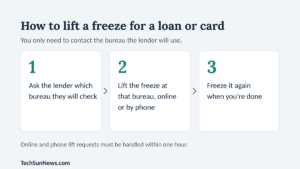
- Watch your money. Tell your card issuer if a card was saved on the account. In the US, consider a credit freeze if you shared ID details.
- Report it. In the US, use reportfraud.ftc.gov. In India, use the National Cyber Crime Reporting Portal or call 1930 if money was taken. In Singapore, report through ScamShield or file a police report.
- Decide about a fresh start. Many people set up a new profile and tell friends which one is real. If the old account ran a Page with other admins, ask one of them to check the Page roles.
If you clicked something suspicious just before this started, our guide on what to do after clicking a scam link covers the cleanup.
After you get back in
Once you recover a hacked Facebook account, don’t stop there. The hacker may have left things behind, so go through this list the same day, based on the FTC’s advice:
- Change the password to one you’ve never used elsewhere, then sign out of all devices and sign back in yourself.
- Check the email addresses, phone numbers and connected apps on the account. Remove anything that isn’t yours.
- Turn on two-factor authentication, save the backup codes somewhere that isn’t the same phone, and add a passkey if you can.
- Secure your email account. It’s the key to every reset link.
- Look for anything you didn’t do, such as posts, messages, new friends or unfamiliar ads, and warn your friends not to click links or send money.
Want a checklist you can keep?
Our Scam & Account Safety Checklist is a short PDF you can go through at your own pace, covering common scam patterns and the account-protection steps from this guide.
Hacked Instagram account? The short version
Instagram has its own official page: instagram.com/hacked. Choose the option that matches your situation and follow it all the way through.
- If your accounts are linked, “Log in with Facebook” can sometimes get you back in. ESET advises securing the Facebook account first.
- The same rules apply as when you recover a hacked Facebook account: use only Instagram’s own screens, never pay a “recovery service”, and never send a selfie or ID by direct message.
| The Bottom Line
The fastest way to recover a hacked Facebook account is the reversal link in your old email, then a device that’s still signed in. If both fail, use facebook.com/hacked from your usual device, ignore anyone asking for money, and start limiting the damage. Recovery isn’t guaranteed. A unique password, two-factor authentication and saved backup codes make the next attack much harder. |
FAQs
Can I recover a hacked Facebook account without my email or phone number?
Sometimes. Your best options are the reversal link sent to your old email, a device that’s still logged in, or the selfie video and identity checks in the official flow. None is guaranteed. If the hacker changed every detail, recovery can take a long time or fail.
How long does Facebook account recovery take?
Meta doesn’t publish a timeline. If the reversal email works, you can be back in within minutes. If you need identity verification, people report anything from days to never getting an answer.
Is there a Facebook phone number I can call about a hacked account?
We couldn’t find an official phone line for hacked accounts, and numbers in search results claiming to be “Facebook support” aren’t safe to call. Use facebook.com/hacked and the Help Center instead.
Your turn
Which step did you get stuck on while trying to recover a hacked Facebook account, and did anything finally work? Tell us in the comments. Your answer might save someone else a week of loops.
| Editor’s Observation
Meta’s numbers say recovery is improving, yet several 2026 posts on Meta’s community forums describe people stuck in selfie and authenticator loops. Both can be true, but Meta hasn’t published figures by type of case, so we can’t tell which situations improved. Our reading is that the people who benefit most still control a trusted device or their old email. The people this guide is really for are the ones whose hacker got in first, and for them the dull protections matter most: a unique password, two-factor authentication with saved backup codes, and a secure email account. |
Sources
- Meta: Making it easier to access account support
- Meta: If your account was hacked
- Facebook Help Center: hacked account
- Facebook: Report a compromised account
- Instagram: Hacked account recovery
- FTC: Recover a hacked email or social media account
- FTC: ReportFraud
- ESET: Recover a hacked Instagram account
- AVG: Recover a hacked Facebook account
- The Scotsman: Facebook video ID recovery trial
- India: National Cyber Crime Reporting Portal
- Singapore: ScamShield
Facts checked on November 27, 2026. Facebook changes its recovery screens often, so if yours look different, tell us in the comments. This isn’t official support, and we can’t recover accounts for you.