TechsunNews Desk | 24th November 2026 | Read 9 minutes
Here’s how to stop spam calls and texts, or at least get most of them out of your life. First, a scene you probably know. Your phone buzzes while you’re eating dinner. Unknown number. You pick up, there’s that two-second pause, and then a recorded voice starts talking about your car’s extended warranty. You hang up. Ten minutes later a text arrives: your parcel couldn’t be delivered, tap here to confirm your address. You haven’t ordered anything in weeks.
If that’s a normal week for you, nothing is wrong with your phone and you’re not unlucky. Spam calls and texts are cheap to send in huge numbers, so scammers just keep sending and wait for the one person in a thousand who bites. You can’t make them stop completely. But you can cut the volume a lot, and you can make sure the dangerous ones rarely reach you. What Not to Do When You Want to Stop Spam Calls and Texts
One note before we start. The phone settings in this guide work in any country. A couple of parts, like the carrier tools and the Do Not Call registry, are about the US, so there’s a section near the end for readers elsewhere, including Singapore.
Why You Keep Getting Them
Your number gets around. It leaks in data breaches, gets sold on by data brokers, and sometimes it’s simply guessed by software that dials every number in a range. If you’ve never checked whether your details are out there, start with our guide on how to check if your data has been leaked. Once a number lands on a list, it gets traded and the calls multiply.
Put together, that’s how to stop spam calls and texts without paying for anything: filters first, carrier tools second, and a report for everything that slips through.
Spammers also fake caller ID, so a call can look like it’s coming from a local number or even your bank. That’s why blocking one number rarely fixes anything. You need filters that look at patterns, not just numbers.
Step 1: How to Stop Spam Calls and Texts With Your Phone’s Built-In Filters
This is the quickest part of how to stop spam calls and texts. It takes about five minutes and costs nothing. Do it first.
On iPhone
Apple has moved a few of these menus in recent iOS versions, so if yours looks slightly different, search “unknown callers” inside Settings. The full list is on Apple’s support page for managing unknown callers.
- Calls: go to Settings > Apps > Phone > Screen Unknown Callers. You get three choices: Never, Ask Reason for Calling, or Silence. On older iOS versions it’s called Silence Unknown Callers and sits under Settings > Phone.
- Spam calls: in the same Phone settings, look for Call Filtering (or Call Blocking & Identification) and switch on the spam filter. On supported carriers, Silence Junk Callers sends suspected spam straight to voicemail.
- Texts: go to Settings > Apps > Messages and turn on Screen Unknown Senders. Older versions call it Filter Unknown Senders. Texts from numbers outside your contacts go to a separate list instead of pinging you.
- Report junk: open a suspicious message and tap Report Junk, then delete it.
One trade-off. Silencing every unknown caller also silences your doctor’s office, the delivery driver and the hospital calling back. Those go to voicemail or your Unknown Callers list. Check that list once a day for the first week and you’ll know whether the setting suits you.
On Android
Menus differ between Pixel, Samsung and other brands. These steps are for Google’s Phone and Messages apps, which most Android phones use or can install. Google explains the details on its caller ID and spam protection help page.
- Calls: open Phone, tap the three-dot menu, then Settings > Caller ID & spam. Turn on Caller ID & spam, then turn on Filter spam calls. Filtered calls won’t ring and you won’t get a missed-call notification, but they still show in your call history, so you can check whether something real got caught.
- Texts: open Messages, tap the three-dot menu, go to Settings, then Spam protection, and make sure it’s on.
- Report what slips through: in Phone, open Recents, press and hold the number and tap Block/report spam. In Messages, press and hold the message and block or report it.
If your phone uses its own dialer, like Samsung’s, look for similar options in the Phone app’s settings, usually under a name like caller ID and spam protection.
Step 2: Switch On Your Carrier’s Free Protection (US)
US carriers run their own spam filters at the network level, so suspected spam can be caught before it reaches your phone. Features and prices change often, so confirm on your carrier’s site.
| Carrier | Tool | What to know |
| Verizon | Call Filter | Free basic version flags suspected spam and lets you block numbers. Stronger blocking is in the paid Call Filter Plus (about $3.99 a month when PIRG reported on it). |
| AT&T | ActiveArmor | Free app that automatically blocks suspected fraud and spam calls, warns about nuisance calls and filters scam texts. |
| T-Mobile | Scam Shield | Free Scam ID labels suspected scam calls and Scam Block stops them before they ring. |
Not with one of the big three? Smaller and prepaid brands often run on the same networks, so ask what spam protection they offer. And be careful with third-party call-blocking apps. Some ask to read your contacts or share your data, so read the privacy policy before you install one.
Step 3: Block and Report, and Do Both
When you’re working out how to stop spam calls and texts for good, blocking and reporting aren’t the same thing, and most people only do the first. Blocking stops that one number from reaching you. Spammers switch numbers all the time, so it’s a short-term fix. Reporting does more, because it feeds the spam databases that Apple, Google and carriers use to filter calls for everyone. That’s how the filters in Step 1 get smarter. The FTC also has an official page on how to block and report unwanted calls.
- Spam texts (US): forward the text to 7726, which spells SPAM on a keypad. Carriers use these reports to block senders.
- Unwanted sales calls (US): register your number for free at donotcall.gov. Be realistic about it. The registry doesn’t block calls. It tells legitimate telemarketers not to call, and scammers ignore it. If you’ve been registered for at least 30 days and still get illegal sales calls, you can file a complaint there.
- Lost money or shared details: report it at reportfraud.ftc.gov.
Step 4: Learn What the Scam Ones Look Like
Filters miss things, so the last part of how to stop spam calls and texts is learning the patterns. That protects you better than any app. These are the usual ones:
- Fake delivery texts. “Your parcel is on hold, pay a small fee.” If you aren’t expecting a parcel, ignore it. If you are, open the courier’s own app or website instead of using the link.
- Toll and fine texts. A message saying you owe an unpaid toll or traffic fine, with a link to pay. Don’t pay through a link in a text you didn’t expect.
- Bank “fraud alerts.” They create panic so you act before you think. Hang up and call the number on the back of your card.
- Wrong-number texts. “Hi, is this Sarah?” It looks harmless, and it’s how some scams start a friendly chat.
- Requests for a code. If a caller or text asks for a one-time code, someone may be trying to get into your account. Our guide to SIM swap attacks explains how scammers go after your number itself.
- A “relative” in trouble. AI voice cloning is real now. Read our guide to AI scams, voice clones and fake apps, and agree on a family code word.
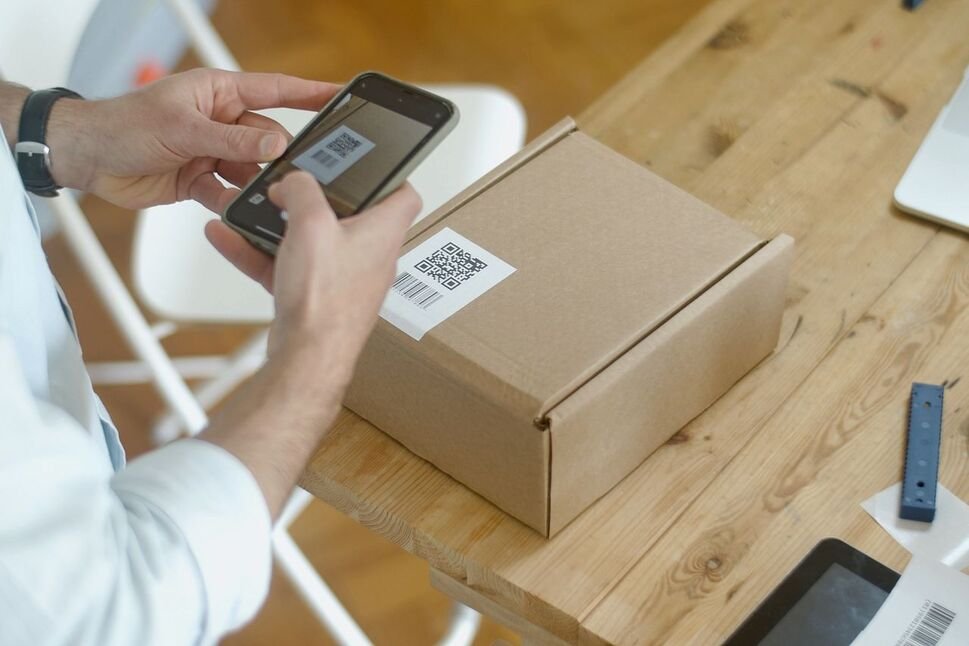
The red flags are always the same: urgency, secrecy, and a request to pay by gift card or instant payment app. Real companies and government offices don’t ask you to settle a debt that way. Some scam texts now carry QR codes instead of links, so see our guide to spotting a fake QR code. And if a text sends you to a shop you’ve never heard of, check whether the online store is fake before you pay.
Want the key steps in one place?
I turned the most useful steps from our scam guides into a printable PDF: the Scam & Account Safety Checklist. It’s $4.99 on Gumroad.
What Not to Do When You Want to Stop Spam Calls and Texts
- Don’t press 1 or any key to be “removed.” It tells them a real person answered, and you get more calls, not fewer.
- Don’t reply to texts from unknown numbers, even with STOP. Replying STOP to a company you actually deal with is fine. For an unknown sender, any reply can confirm your number is active. Delete, report and block instead.
- Don’t tap links in unexpected texts. If you already did, here’s what to do right now after clicking a scam link.
- Don’t confirm personal details like your name, address or date of birth to a caller you didn’t expect. Hang up.
If You’re Outside the US
The phone settings above work wherever you live. Here’s the local side, using Singapore as the example because so many of our readers are there.
- Do Not Call Registry: Singapore’s DNC Registry has three registers, for voice calls, text messages and faxes, and you can list your number on any of them. It deals with marketing messages. It’s not a scam filter, so treat it as a first step, not a fix. The PDPC explains how it works.
- ScamShield: the government’s free ScamShield app blocks calls from numbers on a police-maintained list and filters suspicious SMS using on-device detection. It can also check a suspicious message, link or number for you. Follow its permission steps so the blocking is actually switched on.
- Reporting: call the 1799 anti-scam helpline if you aren’t sure whether something is a scam. If you’ve lost money, file a report with the police. A report inside the ScamShield app is not the same as a police report.
Elsewhere, search for your country’s do-not-call registry and national anti-scam service. Many countries have something similar, and reporting through them helps.
What If the Spam Keeps Coming?
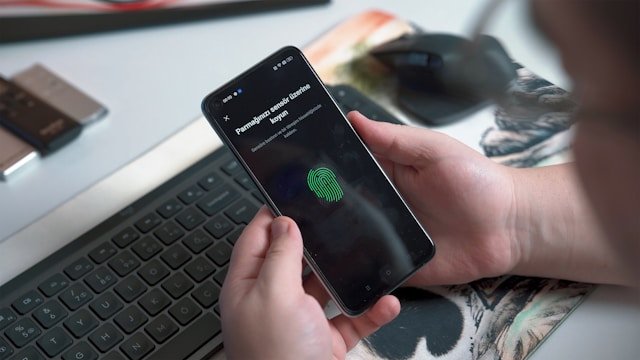
Give the filters a week or two to settle. If it’s still bad, check that you’ve switched on both call and text filtering, and report every one that slips through. If your name or other personal details showed up in a scam call, check whether your data has leaked and consider moving your accounts to an authenticator app instead of SMS codes. As a last resort, ask your carrier about a new number.
And if this is really about a parent or grandparent getting hammered by calls, set these filters up on their phone yourself and share our guide to protecting your parents from phone scams.
Setting this up for a parent?
My Parents’ Phone Safety Guide covers scam calls, texts, WhatsApp and payment apps in plain, large-print language, with a one-page checklist you can stick on the fridge. It’s $9 on Gumroad.
Frequently Asked Questions
Does blocking a number help you stop spam calls and texts?
For that one number, yes. But spammers rotate numbers and fake caller ID, so blocking alone is a short-term fix. Combine it with your phone’s spam filters and report the number so the databases learn.
Is it safe to reply STOP to a spam text?
It depends on who sent it. For a company you’ve dealt with, STOP is the normal way to unsubscribe. For a text from a sender you don’t know, don’t reply at all, because any answer can show your number is live. Delete it, report it and block the number.
Why do spam calls come from numbers that look like mine?
Scammers fake the caller ID so the call looks local and you’re more likely to pick up. It doesn’t mean you’ve been hacked, and the number on screen usually isn’t real. Use the unknown-caller and spam filters, and let unfamiliar numbers go to voicemail.
Your Turn
Which is worse for you, spam calls or spam texts, and has any setting actually helped? Tell us in the comments.