TechsunNews Desk |25th November, 2026 | Read 9 minutes
What This Article Covers
|
What is phishing? It’s easiest to explain with an example. You’re half-waiting on a parcel when a text pings: your package couldn’t be delivered, pay a small redelivery fee to reschedule. There’s a link. The fee is less than a coffee, so you don’t think twice. You tap, the page looks right, and it asks for your card number.
That’s phishing. Nobody hacked your phone. You were asked nicely, by something that looked official, and you answered. Most phishing works exactly like that, which is why careful people fall for it too.
Below: what phishing is, how it shows up on email, SMS and WhatsApp, a few red flags that hold up, how to check a message without touching the link, and what to do if you’ve already clicked.
What Is Phishing?
In plain terms, what is phishing? It’s when someone pretends to be a bank, a courier, a government office, your boss or a family member so that you hand something over: a password, a one-time code, card details, or money. The message is just the bait. You have to take it, and that’s the part scammers work on.
A few versions have their own names. Phishing usually means email. Smishing is the same trick by text message. Vishing is by phone call, like the fake “cyber police” calls in our digital arrest scam story. The channel changes. The playbook mostly doesn’t.
Same Trick, Different Disguises
So what is phishing like in practice? Here’s how it tends to look on each channel.
| Where it shows up | What it pretends to be | The hook | First check |
|---|---|---|---|
| Your bank, a courier, Google or Microsoft, your employer | “Suspicious sign-in, verify now” or an invoice you never ordered | Look at the sender’s actual address, not just the display name | |
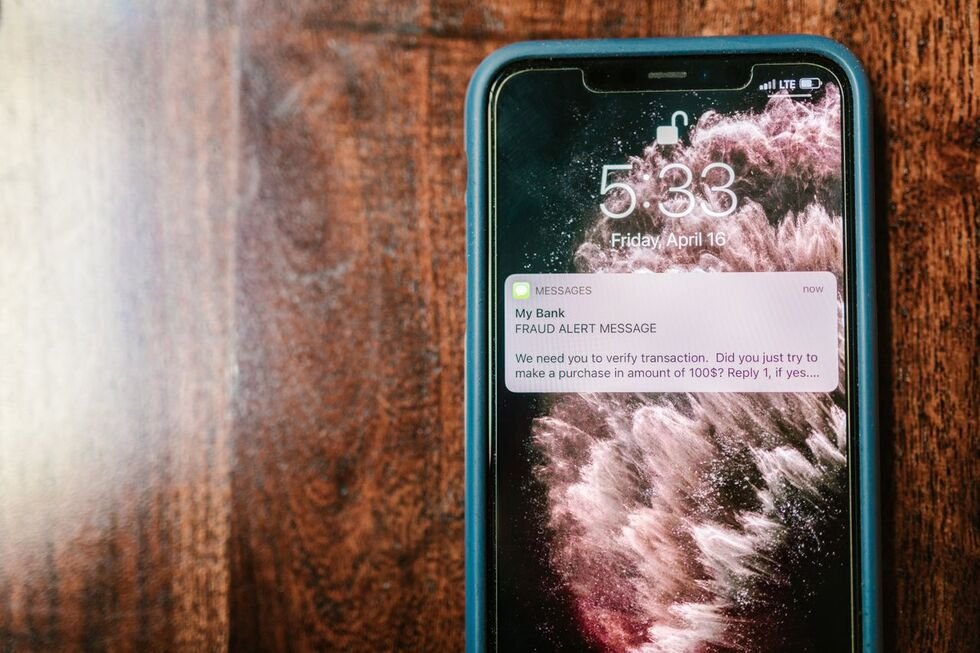
| SMS | Bank, parcel service, tax or government office | A short link and a deadline | Don’t tap. Open the real app or type the site yourself |
| WhatsApp or chat | A family member on a “new number”, a recruiter, a wrong-number stranger | Emotion, a quick favour, an easy job | Call the person on the number you already have |
| Phone call | Bank fraud team, police, courier | “Your account is in danger, stay on the line” | Hang up and call back on a number you trust |
| QR code | Parking payment, menu, a “refund” flyer | Scan to pay or log in | Check where the link lands before typing anything |
If a QR code is involved, our fake QR code guide covers that side. And if the “shop” itself is the scam, see how to tell if an online store is fake.
Five Red Flags That Still Hold Up
So what is phishing going to look like when it lands in your inbox? CISA, the US cyber agency, lists a handful of classic signs, and the FTC adds a few more. Boiled down:
- Pressure. CISA lists urgency or strong emotion first, usually with a threat if you don’t act fast. “Your account will be closed in 24 hours” is the classic. Real companies rarely need you to decide in the next ten minutes.
- A request for something sensitive. Passwords, card numbers, ID details, one-time codes. CISA flags any request for personal or financial information, and a message asking you to read out or forward a code deserves extra suspicion.
- A link or address that’s slightly off. A misspelled company domain, or a shortened link from a sender you don’t know, are both on CISA’s list. Think of a bank name with one letter swapped.
- A message you weren’t expecting. The FTC suggests asking whether you actually have an account with that company, or know the person writing. It also says legitimate companies don’t send links by email or text to update your payment details.
- An offer that’s too good, or oddly personal. A refund you never applied for, a free coupon, a job from a recruiter you’ve never spoken to. The FTC lists too-good offers among the signs.
One more thing, and this is my own take rather than a rule: don’t rely on spelling mistakes any more. Fluent text is easy to produce now, and scammers can use the same tools everyone else does, so a clean message isn’t a safe message. Our AI scams guide goes into voice clones and fake apps.
What It Looks Like in Real Life
These are made-up examples that follow common patterns. They are not real messages.
The bank or KYC text
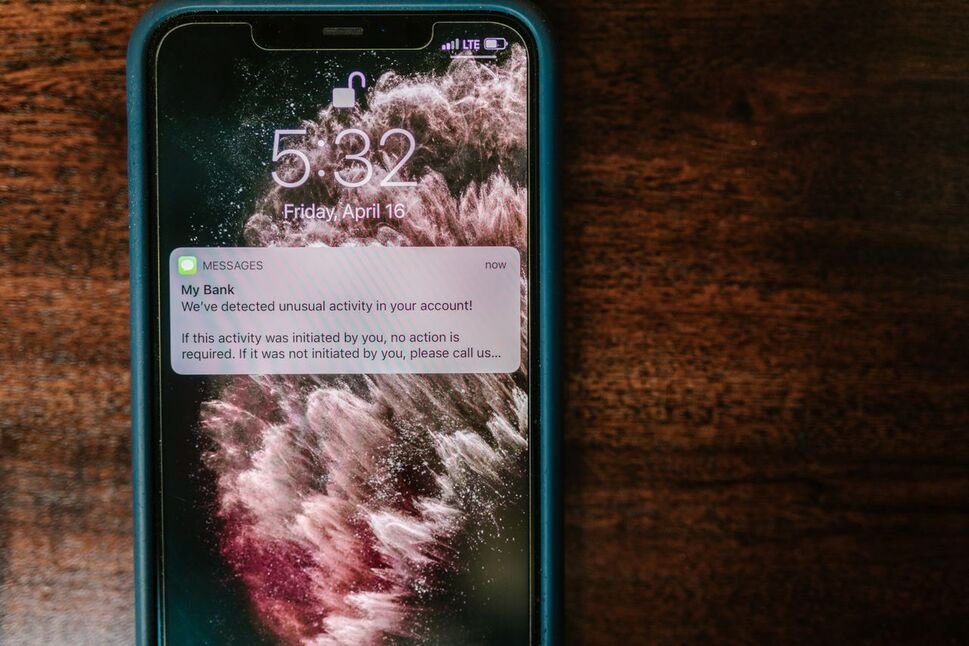
“Dear customer, unusual activity was found on your account. Complete your KYC update today or your account will be blocked. Verify: [short link]”
Generic greeting, a deadline, a threat and a shortened link. Fake KYC texts are a familiar pattern for readers in India. Your bank’s own app is where you check, not the text.
The parcel fee
“Your parcel is on hold. Pay a S$1.50 redelivery fee within 12 hours: [link]”
The tiny amount lowers your guard. The real goal is your card details. If you are expecting a parcel, open the courier’s app or website yourself.
The refund or government message
“You are eligible for a tax refund. Claim it here before it expires.”
Surprise refunds are bait the FTC specifically lists. In Singapore, ScamShield points out that official government sites use the .gov.sg domain with a secure connection, and that officials won’t ask you to transfer money over a phone call.
The “Hi Mum” WhatsApp message
“Hi Mum, I dropped my phone in water. This is my new number. Can you send some money? I’ll explain later.”
It plays on worry, not greed. Call the person on their old number, or ask something only they would know. If you’re setting up safer habits for older relatives, our guide to protecting parents from phone scams is the one to send them.
Setting this up for your own parents? Our Parents’ Phone Safety Guide is a short, large-print PDF with a one-page fridge sheet they can follow without help. It’s our own product, $9 on Gumroad.
How to Check a Message Without Clicking It
- Pause. Don’t reply, even with “who is this?”. A reply may signal to the sender that your number is active.
- Go to the source yourself. Open the app, or type the website address. If you need to phone someone, the FTC advises using a number you know is genuine, not the one in the message.
- Look at the sender. On email, tap the name to see the full address. On SMS, a “bank” texting from an ordinary mobile number is a flag.
- Preview the link. Hover over it on a computer. On most phones, a long press shows where it really goes.
- Ask before you act. In Singapore you can run it through the ScamShield app or call the 1799 helpline. Anywhere, a quick “does this look right?” to a family member costs nothing.
- Report and delete. CISA says to use the report or spam button, then delete the message without clicking anything.
Two things quietly lower your risk in the background. Passkeys are designed to resist phishing, and a password manager tends not to offer to fill your login on a lookalike site, which is a useful nudge when the page seems fine.
Keep This Handy
Want these checks on one page? The Scam & Account Safety Checklist is a PDF built from the scam and account-security topics we cover on TechSunNews, so you can keep it on your phone or print it. It’s our own product, available on Gumroad for $4.99.
Already Clicked or Replied? Match the Step to What You Did
Don’t panic and don’t just delete everything. Work out what you actually did.
- Only tapped the link, entered nothing: close the page. On a computer, update your security software and run a full scan, which is the FTC’s advice if something may have installed itself.
- Typed a password: change it on the real site now, and anywhere you reused it. Turn on an authenticator app rather than text-message codes if you can.
- Shared a one-time code, or your number may be hijacked: call your mobile carrier. Our SIM swap explainer shows what to look for.
- Gave card or bank details, or paid: call your bank straight away. In India, 1930 is the national helpline for financial cyber fraud, and complaints can also be filed at cybercrime.gov.in. Police sources say faster reporting improves the chance of freezing the money. In Singapore, ScamShield’s 1799 line can guide you alongside your bank. In the US, the FTC points people who shared sensitive numbers to IdentityTheft.gov.
- Installed something, or the phone is acting strange: see the phone hacked warning signs.
- Not sure whether your details already leaked: check here.
For the full walkthrough, see Clicked a Scam Link? What to Do Right Now, Step by Step. And report it even if you lost nothing. In the US, the FTC says to forward phishing texts to 7726 (SPAM), emails to reportphishing@apwg.org, and file a report at ReportFraud.ftc.gov.
| The Bottom Line
So, what is phishing? A persuasion trick, not a technical one. Slow down, never use the link inside the message, and go to the real app or number yourself. If you’ve already acted, match your response to what you shared, and report it. |
Frequently Asked Questions
What is phishing, and how is it different from spam?
Spam is unwanted bulk messaging, mostly ads. Phishing is deliberately deceptive and tries to get your information or money. Some spam is phishing, but plenty isn’t. Our guide on stopping spam calls and texts covers the noise side.
Can I get phished just by opening an email?
Usually the risk starts when you click a link, open an attachment or reply. Rare “zero-click” attacks need no action from you and tend to be aimed at specific targets, which is one more reason to keep your phone and apps updated. We explain them in what is a zero-click attack.
Should I reply STOP or click unsubscribe on a suspicious message?
Better not to. CISA advises deleting a suspicious message without replying, opening attachments or clicking any links, and that includes unsubscribe links. It doesn’t single out STOP replies, but the same logic applies: a reply or an unsubscribe click is still interacting with the sender. Use the report or spam button instead.
Your turn: what’s the most convincing fake message you’ve ever received: a bank alert, a parcel text, a “Hi Mum” message, or something else? Tell us in the comments, but leave out any links or phone numbers.
| Editor’s Observation
What is phishing really good at beating? Busy people, not careless ones. The parcel text lands when you’re expecting a parcel, the bank alert right after you’ve paid a bill. That’s why the most useful habit isn’t spotting clever fakes, it’s one boring rule: never use the link in the message. Go to the app or type the address yourself, every time, even when the message looks perfect. Anamika Dey, editor |
Sources
- CISA: Recognize and Report Phishing
- FTC: How To Recognize and Avoid Phishing Scams
- ScamShield (Singapore government)
- National Cyber Crime Reporting Portal (India)