
Anamika Dey, editor
By TechSun News Desk | techsunnews.com | Updated October 11, 2026 | Tech / AI / Explainers | 9 min read
You are on a flight with no Wi-Fi, phone in airplane mode. You open a photo, circle a stranger who wandered into the background, and your phone erases them cleanly — no signal, no server, no loading spinner. Later you are standing in a market in another country, holding your phone up to a menu, and the translation appears almost before you have finished reading the original words.
Neither of those moments involved the internet. No data left your hand. The AI ran on the device itself. That is Edge AI — and it is quietly becoming one of the biggest shifts in how artificial intelligence actually reaches ordinary people.
What Is Edge AI, in Plain English?
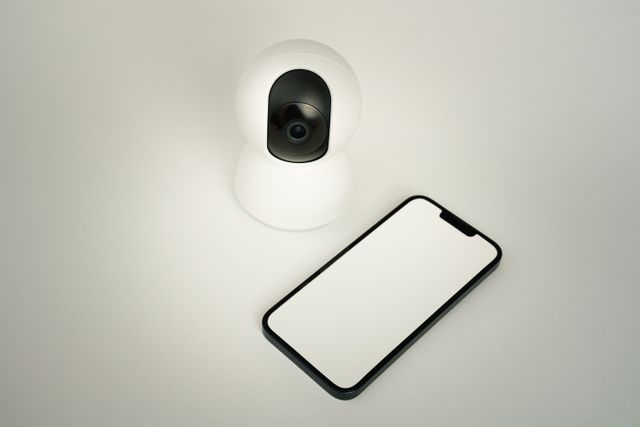
Edge AI means running an AI model directly on the device you are holding — your phone, laptop, watch, car or camera — instead of sending your data off to a distant data center and waiting for an answer to travel back.
“The edge” is just industry shorthand for the far end of the network: the device in your hand, sitting at the literal edge, farthest from the giant central servers. When the intelligence lives out there with you rather than in a data center, that is edge AI. (If some of these terms are new, our plain-English guide to AI terms breaks down the jargon.)
How Is It Different From Cloud AI?
The one difference that matters is where the thinking happens.
When you type a question into ChatGPT, your words leave your device, travel to a data center, get processed on racks of powerful servers, and the reply travels back to you. That is cloud AI. It needs an internet connection, and your input has to leave your device to get answered.
Edge AI removes that round trip entirely. The model lives on the device, the computation happens on the device, and the answer never has to leave it. A simple way to picture the two:
- Cloud AI is like phoning an expert in another city every time you have a question — enormously knowledgeable, but you wait for the call to connect, and you have to tell them everything first.
- Edge AI is like having a sharp friend sitting right next to you — instant and private, though they cannot possibly hold everything an entire research library does.
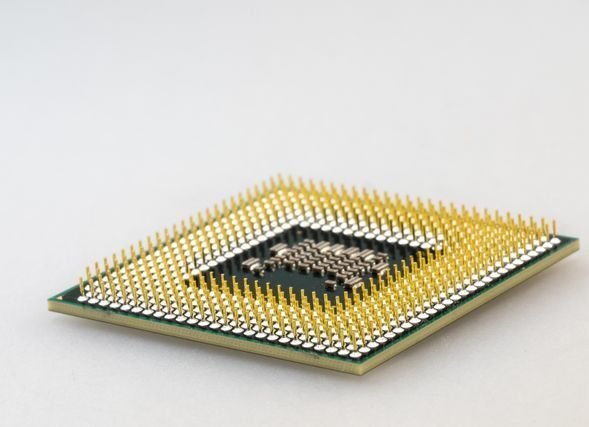
The reason this suddenly works is the hardware. Modern phones and laptops now ship with a dedicated AI chip called an NPU (neural processing unit) — Apple calls its version the Neural Engine, Qualcomm builds the Hexagon NPU into Snapdragon, and Google designs its own Tensor silicon. If you want the deeper hardware picture, see our breakdown of GPU vs NPU vs TPU.
Why Everyone Is Moving to the Edge
Running AI on the device instead of the cloud buys you five real things: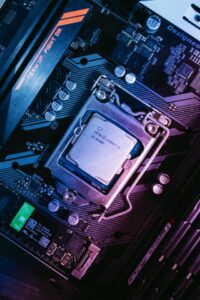
- Speed. No round trip to a server means answers appear almost instantly — critical for live translation, camera effects and anything that needs to feel immediate.
- Privacy. Your photos, messages and voice are processed on the device and never have to be uploaded, which is a genuinely different privacy posture from cloud AI.
- It works offline. On a plane, in a tunnel, abroad with no data — on-device features keep working because they never needed the internet.
- Lower cost. Cloud AI bills companies for every request; on-device processing is basically free once the chip is in your pocket, which is why firms are racing to move features there.
- Reliability. No server outage, no rate limit, no “try again later.” The feature is on your device.
The Trade-Offs Nobody Puts on the Box
Edge AI is not magic, and it is not free of compromise. The chip in your phone, however clever, is a fraction of the size of a data center — so the models it runs are smaller and less capable than the frontier systems in the cloud. Ask an on-device model to write a long, deeply reasoned essay and it will usually hand off to the cloud or fall short.
There are two more catches. Edge AI is tied to your hardware, so older phones and budget laptops without a capable NPU simply cannot run the newest on-device features. And squeezing AI onto a battery-powered device means working inside strict power and heat limits, which caps how much the chip can do before it drains your battery or warms up in your hand.
Where You Are Already Using Edge AI
This is not a future technology. It is running on hundreds of millions of devices right now.
Apple Intelligence
Apple’s system is the clearest example of the split. According to Apple’s machine learning research team, its third generation of Apple Foundation Models includes on-device models that run directly on your iPhone or Mac, alongside server models on Private Cloud Compute. Lighter tasks — proofreading, rewriting, quick summaries of your own mail — stay on the device, and only heavier requests are escalated to Apple’s Private Cloud Compute servers. A quieter example has been running even longer: every Face ID unlock since 2017 has been processed on Apple’s Neural Engine, on the device, with no cloud involved at all.
Google Pixel and Samsung Galaxy
Google’s compact Gemini Nano model runs locally on Pixel and on Samsung’s Galaxy S25 line, powering on-device features such as live call translation and smart replies without shipping every word to a server. Google has also been pushing tools designed specifically to run models on phones and browsers, signalling that it now treats local execution as a core part of its AI strategy rather than a side experiment.
Windows Copilot+ PCs
Microsoft drew a hard line in the sand for laptops. To be certified as a Copilot+ PC, a machine must include an NPU capable of at least 40 TOPS (trillion operations per second), along with 16GB of RAM and a 256GB SSD. That NPU is what lets features like Recall, Windows Studio Effects and live caption translation run locally on the laptop instead of in the cloud — and it is why a cheaper “AI PC” without that chip often quietly falls back to servers.
Cameras, Cars and Wearables
Every time your phone produces a Night Mode or Portrait shot, that is on-device AI doing computational photography in real time. New cars increasingly run driver-attention monitoring locally, and smartwatches use on-device models for health and activity detection that has to work whether or not your phone is nearby. The pattern is the same everywhere: put the intelligence as close to the sensor as possible.
Edge AI vs Cloud AI: The Quick Comparison
| Factor | Edge AI | Cloud AI |
|---|---|---|
| Where it runs | On your device (phone, laptop, car) | In a remote data center |
| Internet needed? | No — works fully offline | Yes — always |
| Speed | Near-instant, no round trip | Depends on your connection |
| Privacy | Data stays on the device | Data is sent to servers |
| Model power | Smaller, lighter models | Largest, most capable models |
| Cost to run | Basically free after the chip | Billed per request |
| Best for | Speed, privacy, offline, everyday tasks | Heavy reasoning, deep knowledge, long tasks |
Will Edge AI Replace Cloud AI?
Almost certainly not — and that is the wrong way to frame it. The two are far more likely to work together than to fight to the death.
Apple’s own design is the proof already sitting in people’s pockets: the quick, personal, privacy-sensitive work happens on the device, and only the genuinely demanding requests get handed up to the cloud. That hybrid handoff — light on the edge, heavy in the cloud — is where the whole industry is heading. Chipmakers keep making on-device silicon more capable, while cloud models keep getting more powerful for the tasks that truly need a data center. Both are growing at once. The realistic future is not edge or cloud, but a smart split between the two, mostly invisible to you.
| A QUESTION FOR YOU
Which on-device AI feature do you actually use — live translation, magic photo edits, offline voice commands, something else? And be honest: do you trust “it stays on your phone” more than the cloud, or does it all feel the same to you? Tell us in the comments. |
Edge AI FAQ
1. Does Edge AI work without the internet?
Yes — that is one of its main advantages. Because the model is already on your device, on-device features like offline translation, photo editing and voice commands keep working in airplane mode, in a tunnel, or anywhere with no signal. Only features that hand off to the cloud need a connection.
2. Is Edge AI more private than cloud AI?
Generally, yes. When a task runs on your device, your photos, messages or voice never have to leave it, which removes a whole category of privacy risk that comes with uploading data to servers. Just note that many products mix both — some requests stay local while heavier ones go to the cloud — so “on-device” does not automatically mean “nothing ever leaves.” If privacy is your priority, our guide on how to stop AI chatbots training on your data is a good next read.
3. Is ChatGPT Edge AI?
No — the standard ChatGPT app is cloud AI. When you send a message, it travels to OpenAI’s servers, gets processed there, and the reply comes back, which is why it needs an internet connection. Edge AI is the opposite model, where the work happens on your device. For a closer look at how the big assistants differ, see our ChatGPT vs Gemini vs Claude vs Grok comparison.
| EDITOR’S OBSERVATION
The marketing wants you to pick a side — “the cloud is dying,” “everything is going on-device.” It is not that clean. What is actually happening is a division of labour: your phone quietly handles the fast, personal, private tasks, and the cloud is kept in reserve for the heavy lifting. For readers, the useful takeaway is not which side wins, but a simple habit — start asking where a feature runs. When something works offline and instantly, that is usually a sign your data stayed with you. When it needs a connection and a moment to think, it probably left. Knowing the difference is quietly becoming part of being a careful digital citizen. |
techsunnews.com | Tech / AI / Explainers | © 2026





6 thoughts on “What Is Edge AI? Why AI Is Moving From the Cloud to Your Phone”